
Map-based CRM with PixelKnock
Keep the conversation with the home.
Your next session should start with context. See where you worked, open a saved home, and read the note behind the next step.
Start with Free: 1,000 monthly credits and 1 seat.

Give every property a useful record.
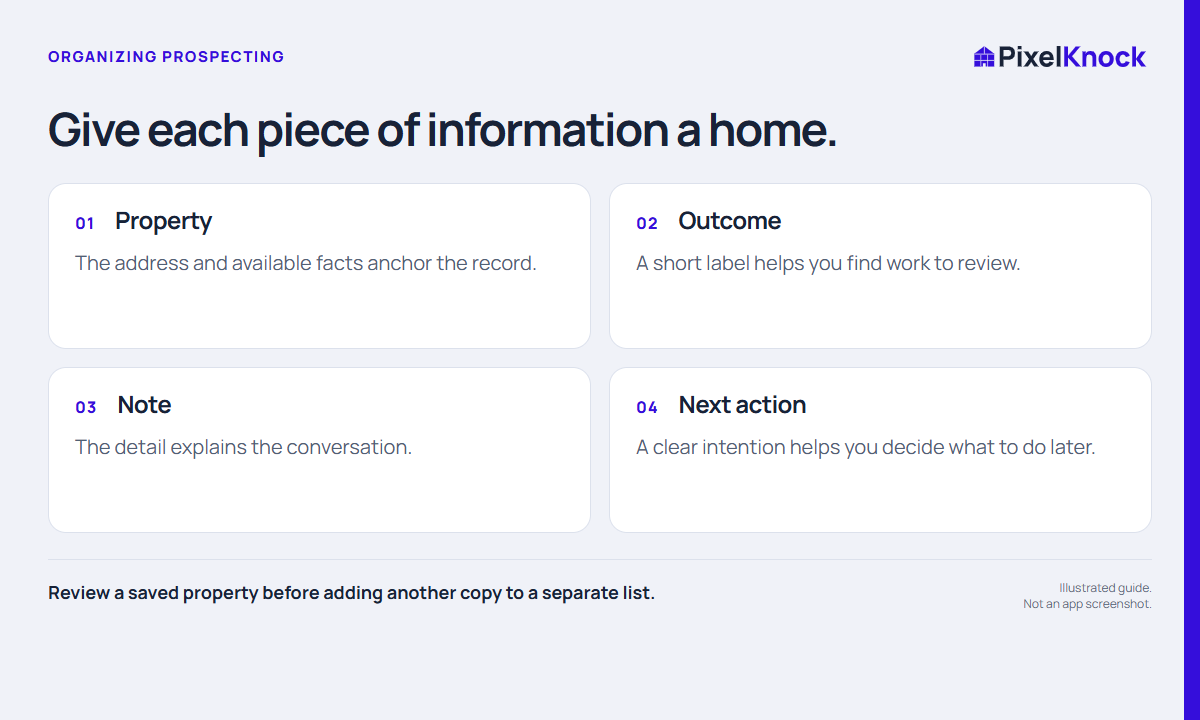
A street address is the point of continuity when a conversation moves between research, a phone call and a visit. PixelKnock brings the available property details and your manual work together at that home.
Use Details to review the record and Activity to save what happened. A short note can explain the service question, the current outcome and the next decision.

Find the work you want to resume.
Return to Saved Homes and use the available outcome filters to focus your session. Open a record to understand the context before deciding whether another attempt is useful. Opening saved records is free.
- Find the intended home.
- Read the latest note and activity.
- Make the next decision using the actual context.
- Update the record after the work.
Start with one complete record.
For a first test, choose a relevant home and save a research note that explains why you selected it. Close the record, find it in Saved Homes and reopen it. You should be able to explain the next step without relying on memory.
If you are moving from a spreadsheet, choose where each kind of information will live. PixelKnock does not automatically import your sheet or synchronize another CRM.
Keep your communication tools in the routine.
Use your own phone or dialer to connect and your calendar for reminders. PixelKnock keeps the manually recorded context at the property; saving an outcome does not place a call or send a message.
Useful answers
Before your next session.
Can I read saved records without another lookup?
Yes. Opening a saved snapshot is free. A new lookup or refresh is a separate action with its own credit information.
Is this a pipeline or reporting replacement?
Evaluate the property workflow against your needs. Do not assume automatic CRM synchronization, pipeline reporting, reminders or assignment.
What should I test first?
Complete one loop: choose a home, review the details, save a useful note and find that note again.
Put this workflow to work.
Choose one home and leave yourself a useful next step.
Start with Free: 1,000 monthly credits and 1 seat.