1. Pick your neighborhood.
Choose an area your business can serve. Start near a completed job or somewhere you want to work.
Choose your area
Virtual door knocking for sales reps and teams
Work real neighborhoods from your computer. Choose homes, review available homeowner details, and keep notes, outcomes and follow-up together in one map-based CRM.
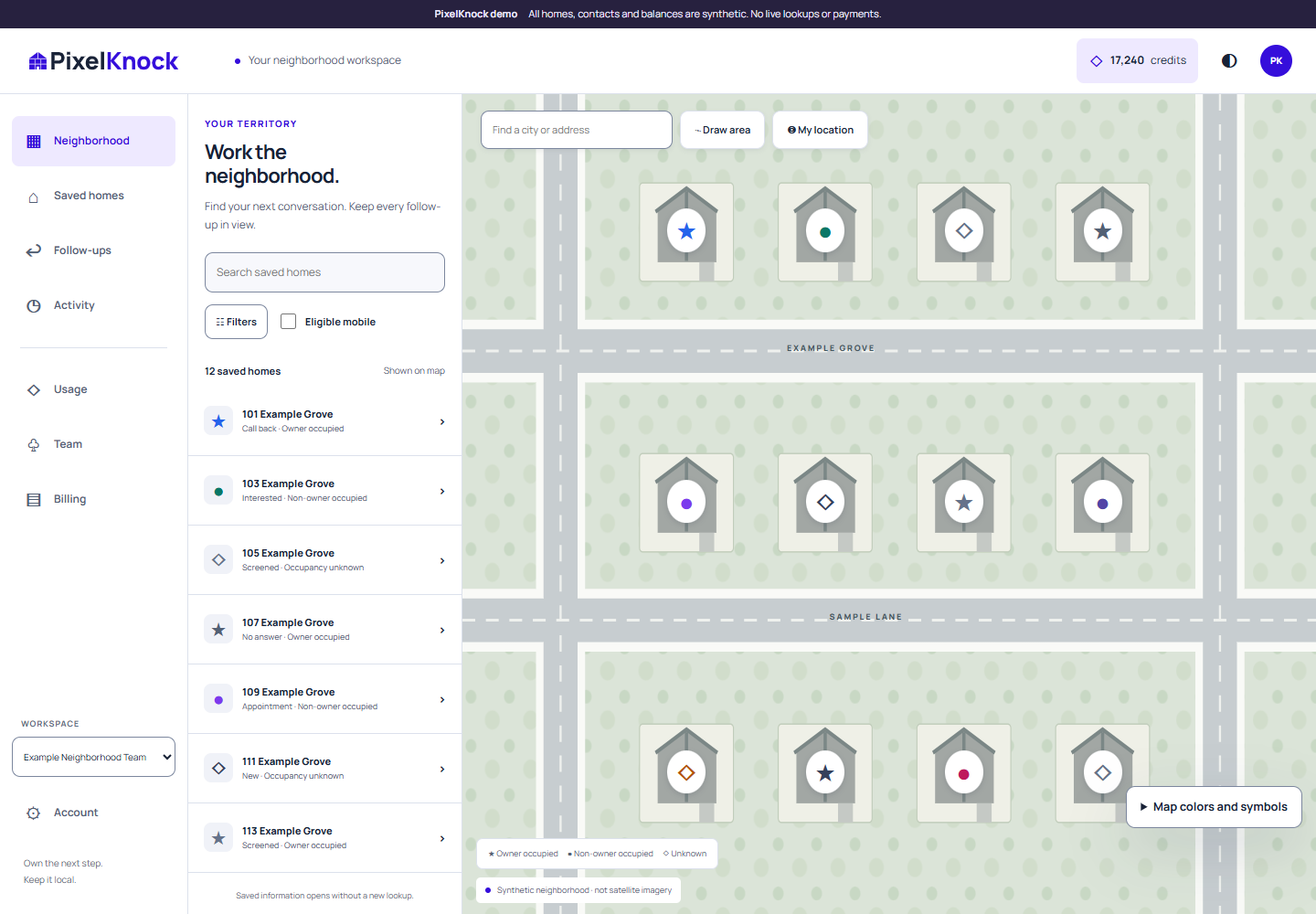
Work the neighborhood.
Keep it on the map.
Your virtual canvassing routine
The house-by-house approach you know, with a map-based CRM to keep your work together.
Choose an area your business can serve. Start near a completed job or somewhere you want to work.
Choose your areaSelect a home and review available property and homeowner details. Information can vary by home.
What details can I see?Use your own phone or dialer. Save the outcome and a note with the home after each attempt.
Keep your next stepFilter saved homes by outcome. Read the last note and choose where to pick up next.
See the full workflowYour homes, notes and manually recorded outcomes. One neighborhood view.
Your map is your CRM
Finding a name is the starting point. Keep what happens next with the home.
See your saved outcomes on the map. Reopen a note before a callback. Work surrounding homes near a job you know. Build familiarity through your own conversations and work.
See your map-based CRMKeep your session centered on a neighborhood you can serve.
Notes and outcome labels stay with the saved home.
Filter your saved work and choose the next step yourself.
Sell virtually. Stay neighborhood-focused.
Choose an area, use your own phone to connect and keep your notes with each home.
Explore the rep workflowKeep homes, manually recorded outcomes and follow-up notes together on the map.
Explore the team workflowBuild your virtual prospecting playbook
Choose a neighborhood, review available homeowner details and connect using your own phone or dialer. Save a note and outcome with each home. PixelKnock brings the house-by-house approach to your screen; selecting a home sends no outreach.
Your homes, notes and conversation outcomes stay together on the map. Filter saved homes by outcome, reopen the last note and decide where to pick up next. You enter the notes and outcomes yourself.
Yes. PixelKnock is designed for independent reps, 1099 sales contractors and teams selling to residential homeowners. Choose areas your business can serve.
No. Use your own phone or dialer to connect. Viewing details does not call, text or email anyone.
A Callback outcome and your note help you remember the next step. They do not schedule a call, book an appointment or send a reminder.
No. Details may be missing or uncertain. Only established cell/mobile phone types are eligible for display. A record does not establish homeowner interest or permission to contact.
Yes. Open PixelKnock to create an account. Free includes 1,000 monthly credits and one seat; paid plans add credits and seats.
Your next neighborhood is a screen away
Open your map-based CRM and choose where to begin.