
Define a small first task
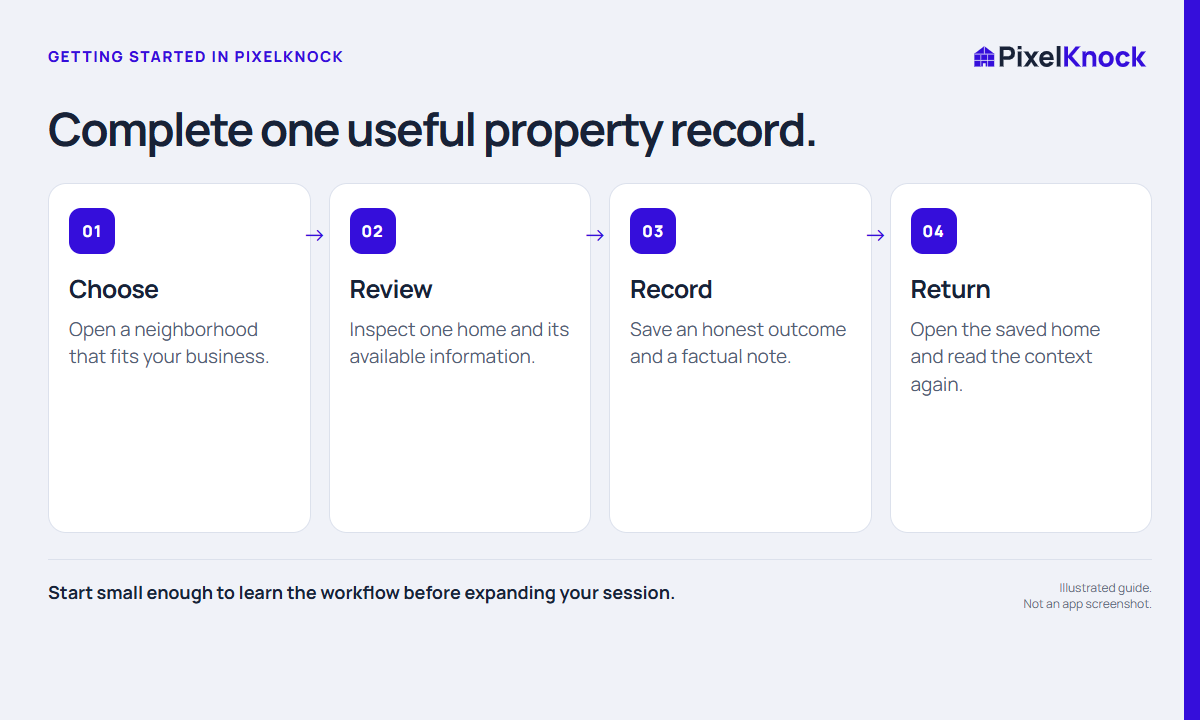
The first useful test is not how many homes you can open. It is whether you can select one relevant home, understand the available record, save meaningful context, and find it again.
Start with a service area you already understand. Write down a simple task such as “Check one home inside our service boundary and leave a clear research note.” You do not need to contact anyone to learn the record workflow.
Find the home and read the lookup information
Use the map to locate the area and check that you are selecting the intended home. If you draw a polygon, the current count workflow counts homes for zero credits; it does not retrieve those homes or create a ready-to-contact list.
A new-home lookup is a separate action. Read the current credit information before using the app’s retrieval action to request available property and contact details. Do not repeatedly click because a request takes time to finish.
The result depends on available property and contact data. A home may have a partial record, and a returned person does not guarantee a usable phone number. Treat the first session as a workflow test, not proof of data coverage throughout an area.
Read Details, then write in Activity
Details contains the available property and contact information. Look for what is actually present and keep missing or uncertain fields distinct from negative answers.
Activity holds the manual record of your work. Save a short, accurate note. If you only researched the home, say that; do not select a conversation outcome that did not happen.
For example, a fictional research note could read: “Checked this home against our service boundary. Need to confirm coverage before any outreach. No conversation yet.” Its value is that a later reader can tell exactly where the work stopped.

Close and reopen the saved home
Return to Saved Homes, reopen the same record, and find the note you just saved. Opening a saved snapshot is free. A new lookup or refresh has its own credit behavior; it is a different action from reading saved work.
| Check | What you should be able to explain |
|---|---|
| Home | Why this was the correct property for your task |
| Details | What was available and what remains unknown |
| Activity | What you actually did and what comes next |
| Return visit | How you found the saved record again |
Expand only after the complete loop works
Choose the next few homes using the same boundary and note standard. If you plan to call, use your own phone or dialer and your organization's contact rules. Retrieving a record does not place a call, send a message, or establish permission to contact someone.
End with records you can resume. A small, understandable first session gives you a better starting point than a large set of homes with no explanation of why you saved them.