
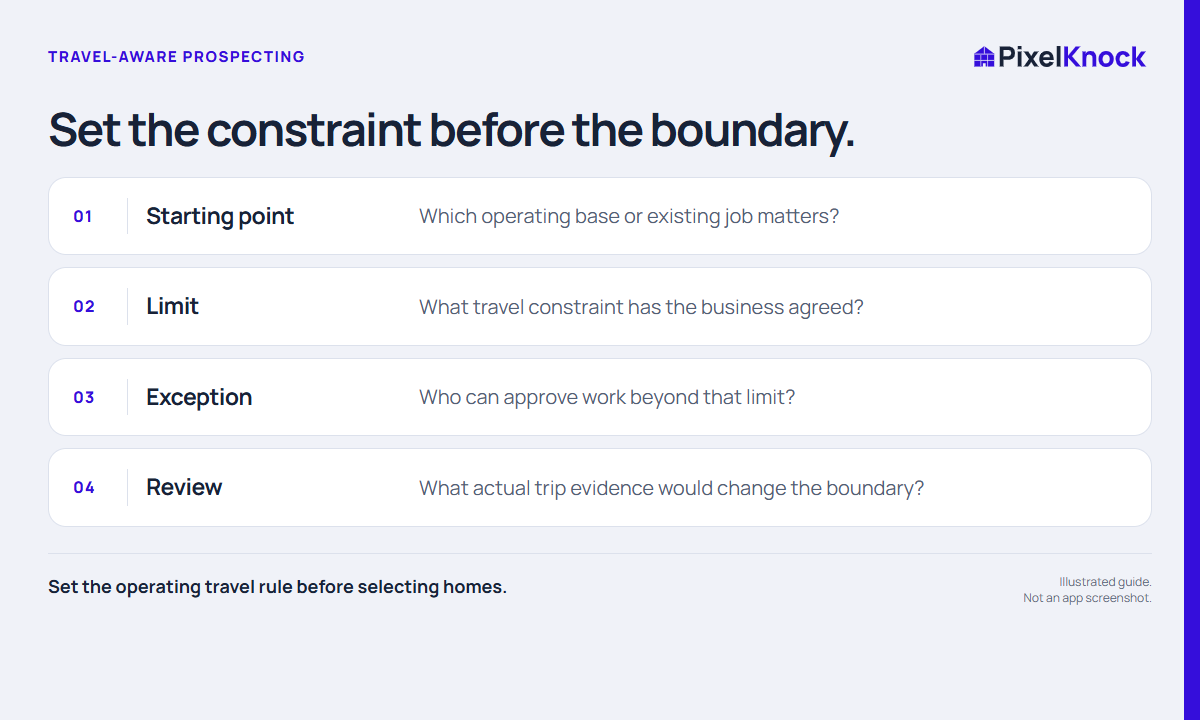
Start with a business constraint
Travel can make a geographically nearby home impractical to serve. Define the constraint in terms your business actually uses: a confirmed operating area, a maximum planned trip or an approved exception process. Do not invent a universal distance that works for every trade, crew or appointment.
Decide whose travel matters. A salesperson preparing a visit and a service team delivering work may start in different places and face different constraints. A suitable prospecting area should fit the business task, not just the rep’s current location.
Use the map for context, routing tools for trips
PixelKnock helps you inspect neighborhoods and return to saved property context. It does not provide route optimization or a promised drive-time boundary. Use the routing or scheduling tool your business relies on to check actual trip assumptions.
A road, bridge, access restriction or change in starting point can make a visually compact area misleading. If travel is the deciding issue, confirm it before treating the home as a practical visit candidate. Keep the outcome of that check with the saved record when it affects future work.

Write a constraint that another rep can apply
Use this fictional planning example:
Today’s research supports visits from the north operating base. Work within the current approved area. Homes across the river need an operations check before a visit is proposed; the drawn boundary is only a planning aid.
| Planning field | Your entry |
|---|---|
| Operating starting point | The relevant base or confirmed job |
| Approved rule | The actual business constraint |
| Uncertain edge | Streets or properties needing a check |
| Decision owner | Person who can confirm an exception |
| Recheck trigger | A changed base, schedule or operating rule |
The worksheet should not contain invented drive times. Its job is to make the rule visible and identify where another check is needed.
Choose a bounded task and review it
Select a manageable area that fits the confirmed constraint. If a home count helps size the work, count the selected shape without treating it as a route or contact list. Research the homes needed for the task and record any practical boundary questions.
After actual work, use observed travel and service constraints to improve the next session. Keep one unusual trip from becoming an unsupported rule for an entire neighborhood. PixelKnock supplies the geographic record; your operating evidence should determine the travel decision.