

Give the time a place and a date
“Call at one” is incomplete when you and the homeowner are in different time zones. Confirm the calendar date, local time, AM or PM and named zone. An area code or property address does not establish where the person will be for the call.
Repeat the arrangement in both people’s local times if that helps: “One in the afternoon your time in New York is ten in the morning here in Los Angeles.” Include the date, and keep the callback’s purpose with the arrangement.

Read two clocks as one agreed instant
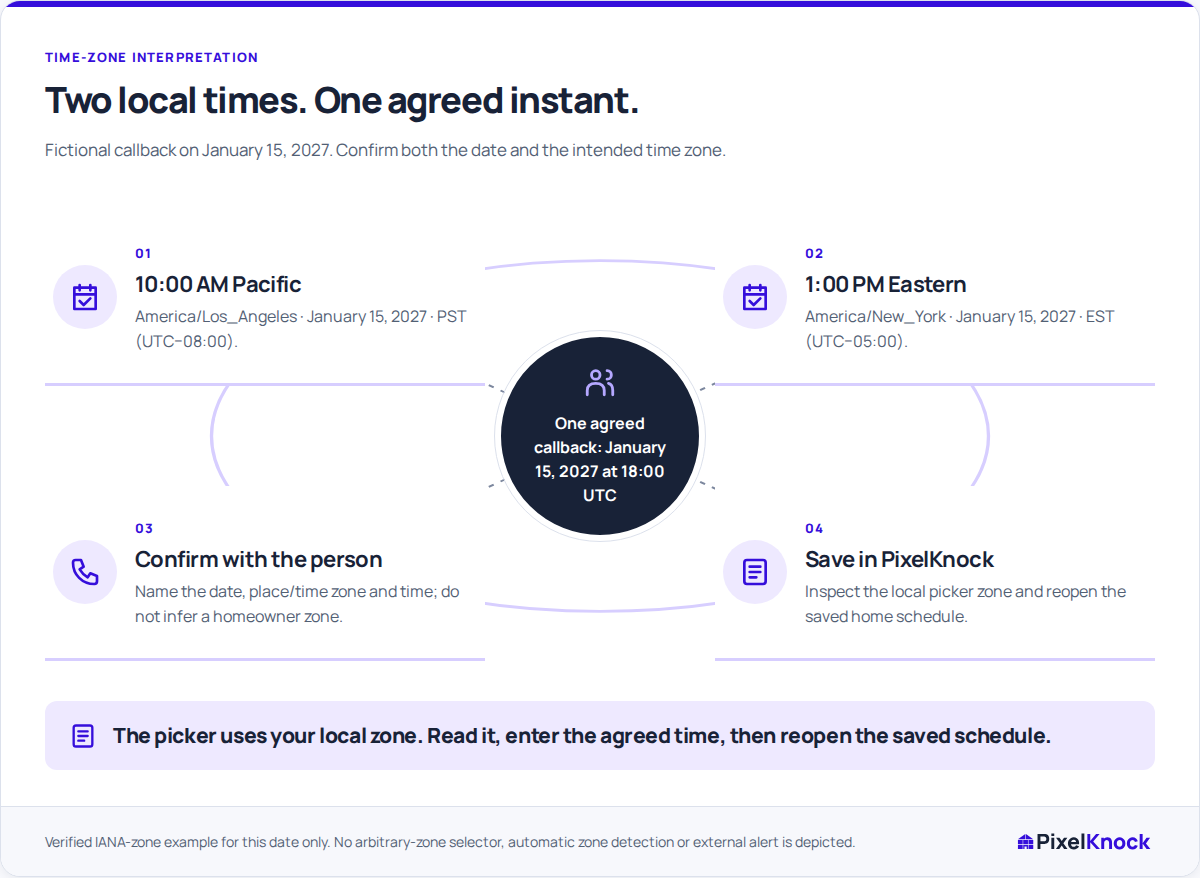
Consider this fictional callback on Friday, January 15, 2027:
| View of the same callback | Local date and time | Named zone |
|---|---|---|
| Homeowner’s agreed time | January 15 at 1:00 PM | America/New_York, Eastern Standard Time |
| Rep’s displayed picker zone | January 15 at 10:00 AM | America/Los_Angeles, Pacific Standard Time |
| Shared reference instant | January 15 at 18:00 UTC | UTC |
These readings describe one callback. Verify the actual date and named zones for each arrangement instead of assuming an offset applies to every location or season.
The saved note could read: “Requested callback January 15, 2027 at 1:00 PM America/New_York, equivalent to 10:00 AM America/Los_Angeles. Discuss the revised assessment scope; no visit agreed.” Save the callback time separately in the follow-up controls; a note alone does not put it on the schedule.
Enter the time the picker actually displays
In PixelKnock, open the home’s Activity and set the requested callback or appointment. The follow-up picker displays your local time zone. Use that zone when entering the time; it does not infer the homeowner’s zone or offer a separate zone selector.
For the example above, a picker displaying America/Los_Angeles needs January 15 at 10:00 AM. Check the date, hour, minutes, AM or PM and displayed zone before saving. If the picker shows another zone, convert the agreed time to that zone instead.
A useful check is to read the entry back in the homeowner’s terms: “Does this saved time still mean one in the afternoon in New York on January 15?” That catches a correct conversion entered on the wrong day or in the wrong half of the day.
Treat a clock-change ambiguity as an open question
Clock changes can skip or repeat a local hour. If the picker rejects a time, confirm the arrangement rather than silently moving it to another hour.
For a repeated hour, establish which occurrence the person means or agree another unambiguous time. A date and local clock reading may not be enough. Resolve the uncertainty before relying on the saved follow-up.
Check the saved home before relying on the time
Reopen the follow-up and compare it with the agreed date, time and purpose. A teammate in another time zone may see a different clock reading for the same instant, so leave the homeowner’s stated zone in the note.
If the homeowner changes the arrangement, update the saved follow-up and its note together. Update any external calendar alert separately. Before making the call through your own phone or dialer, read the latest Activity so you use the current agreement.