
Follow-up time zones with PixelKnock
Save the agreed time with its homeowner context
Save a cross-zone callback with the home in PixelKnock. Use the local zone shown by the picker, then leave the homeowner’s stated time and the reason for the call in Activity.
Start with Free: 1,000 monthly credits and 1 seat.

Read the picker’s local zone.
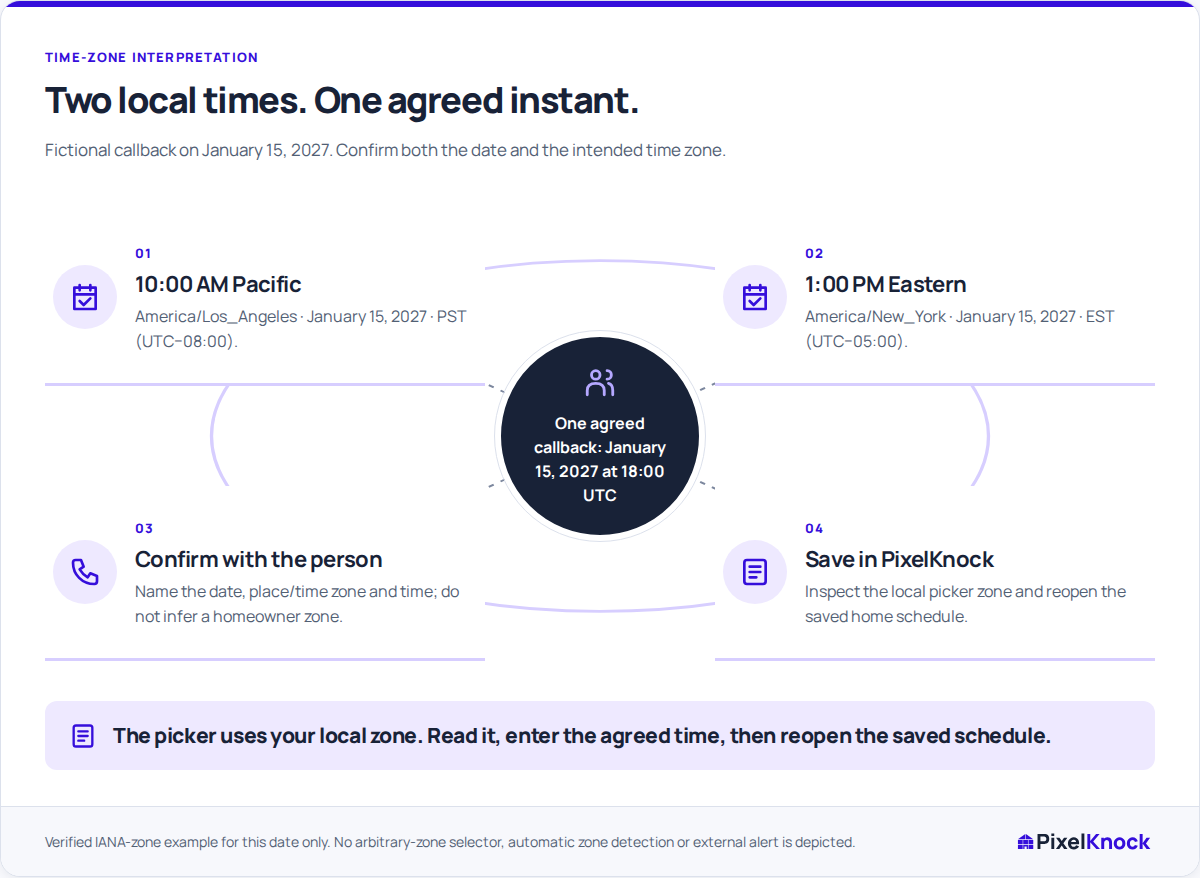
The follow-up picker displays your local time zone. Convert the homeowner’s agreed time into that displayed zone before saving the date and time.
Keep the agreement readable.
A note such as “Homeowner requested 1 PM New York time on January 15, 2027; confirm the revised service scope” gives teammates the agreement behind the schedule. Save the corresponding follow-up time through the picker as well.

Verify the saved result.
Reopen the home and check the saved schedule against the agreement. If a clock change makes the time ambiguous, clarify it with the homeowner before relying on the entry.
Return to the current CRM context.
Use Follow-ups to find the scheduled home and read its latest Activity before calling. If the arrangement changes, update the CRM schedule and note, then adjust any external calendar alert separately.
Useful answers
Before your next session.
Which time should I enter when the homeowner is in another zone?
Enter the corresponding time in the local zone displayed by the picker. Confirm the homeowner’s date and named zone first; PixelKnock does not infer them from the property.
Why might a teammate see a different hour?
The same saved instant can display differently in another local time zone. Keep the homeowner’s agreed zone and time in the note so the arrangement stays understandable.
Does saving the callback create a calendar alert?
The date and time are saved with the home in PixelKnock. Maintain any external calendar alert separately.
Put this workflow to work.
Check one saved callback against its agreed date, time and named zone.
Start with Free: 1,000 monthly credits and 1 seat.