
Separate Homeowner CRM Workspaces
Keep each workspace’s homeowner work in context
Use the right team’s records for each conversation. Switch workspaces in PixelKnock to see that team’s saved homes, your role and its credit balance before making an update.
Start with Free: 1,000 monthly credits and 1 seat.

Choose the working context first.
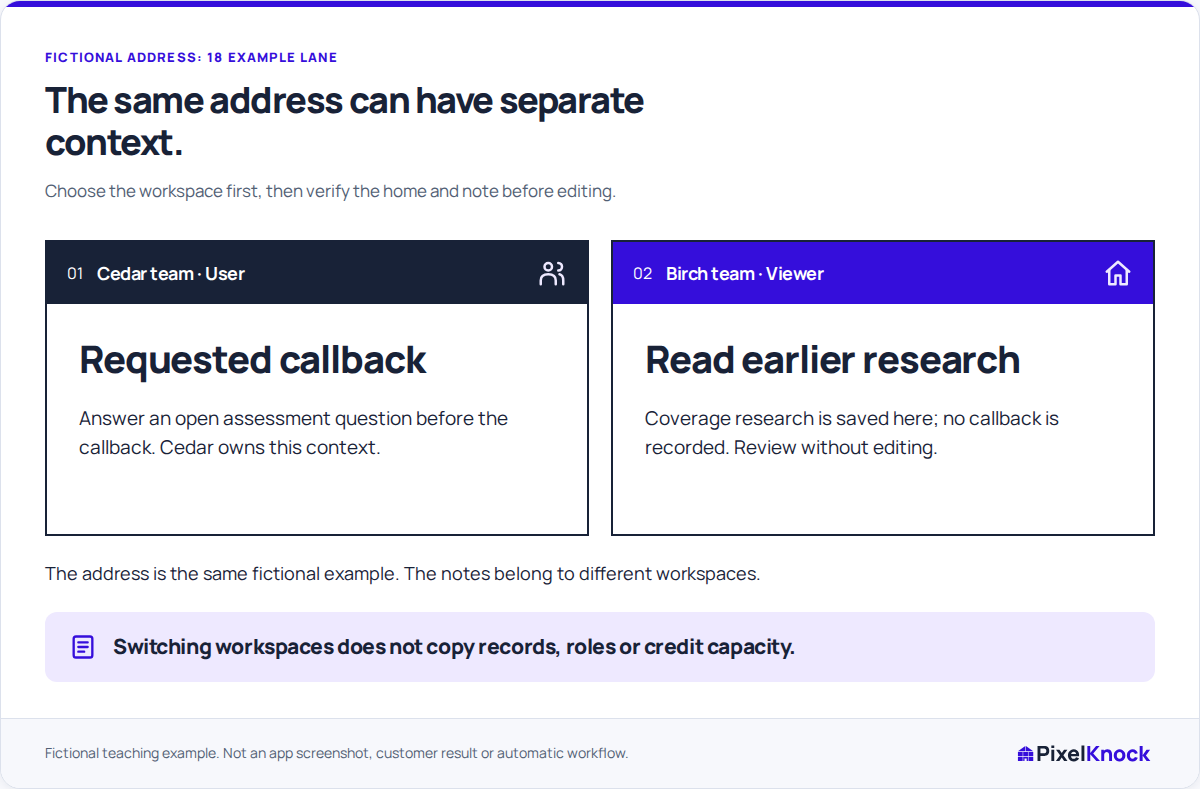
Use Switch workspace in Account and confirm the name before opening the home. If you are preparing a callback for one team, start with that team’s saved note, even if you recognize the same address in another workspace.
Read the role alongside the record.
You might be a User who can update homes in one workspace and a Viewer in another. Check the selected role before making a change. When you can only read, report the home and needed correction to a teammate with writing access.

Keep history and credits separate.
Each workspace keeps its own homeowner history and credit balance. Switching changes which records you are working with; it does not copy notes, merge purchases or combine balances. Review that workspace’s quote before requesting new data.
Verify before switching again.
Save the update and check the result at the home before moving on. If a save is uncertain, use its displayed recovery information in the workspace where it began. This keeps an unfinished change from getting lost between teams.
Useful answers
Before your next session.
Does switching copy notes to the other workspace?
No. Switching opens the other workspace’s records. It does not copy or merge notes between them.
Will my role always be the same?
Your role can differ between workspaces. Read the role shown for the selected workspace rather than relying on what you could do in the previous one.
Does another workspace’s lookup pay for this one?
A purchase belongs to the workspace that made it. Read the current workspace’s saved information and quote before deciding whether it needs a new request.
Put this workflow to work.
Confirm the workspace and home before saving your next update.
Start with Free: 1,000 monthly credits and 1 seat.