
Custom Outcomes for Your Homeowner CRM
Give shared outcomes a deliberate meaning
Give your team outcome choices that describe its actual work. Configure shared labels in PixelKnock, then use each home’s Activity note and saved time to explain what needs to happen next.
Start with Free: 1,000 monthly credits and 1 seat.

Define the missing distinction.
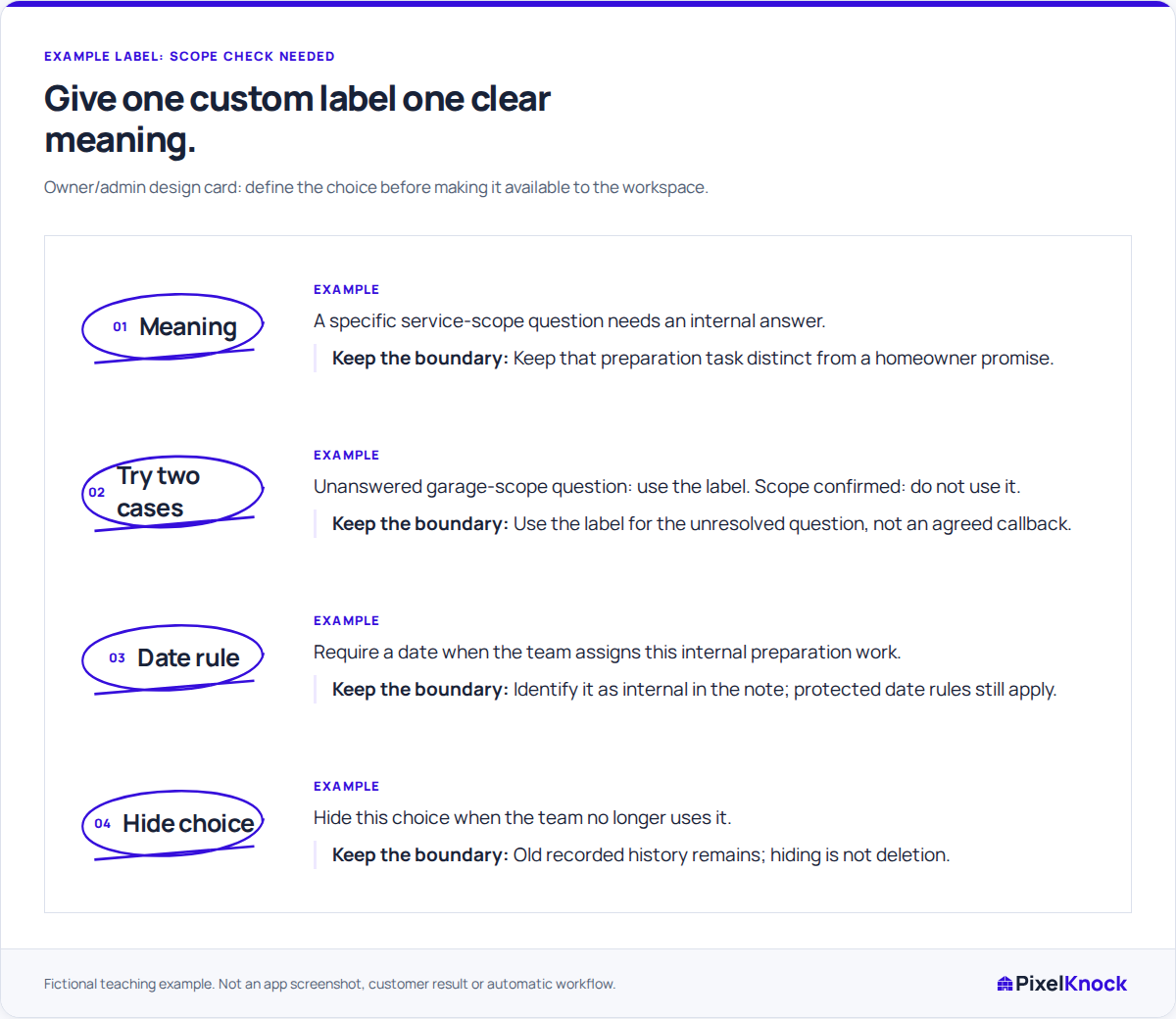
If “Scope check needed” means an unanswered service question, the team should stop using it once the answer is known. Define that boundary before adding the label. Keep an agreed homeowner callback distinct from the preparation needed for it.
Configure it for the workspace.
Owners and Admins can customize outcomes in Account. Set the name, color, icon, display order and whether selecting the outcome requires a follow-up date. Everyone in the workspace uses the same configured choices.

Keep the evidence at the home.
A label such as “Scope check needed” identifies the work; an Activity note can name the question, such as whether an assessment includes a detached garage. Save the required time and make clear whether it is an internal check or an arrangement with the homeowner.
Retire choices with their history intact.
Hide a label when the team should stop selecting it. Its earlier history remains, so keep the old meaning clear instead of reusing the name for unrelated work. Call back and Appointment retain their required dates.
Useful answers
Before your next session.
Who can configure the workspace’s labels?
Owners and Admins can manage the shared label settings. A teammate with writing access can choose an available outcome on a home.
Does a custom outcome assign a teammate automatically?
No. Agree who will handle the task through your team’s usual process. The selected outcome, note and saved time keep that work understandable in PixelKnock.
Can hiding a label remove its old history?
No. Hiding removes the choice from new selections while preserving history. It also does not remove the protected contact restriction of Do not call.
Put this workflow to work.
Define when your team should use one new outcome before adding it.
Start with Free: 1,000 monthly credits and 1 seat.