

Decide what the new information actually supports
A conversation may give your team occupancy information that differs from the supplied record. Identify what you learned before changing the label. An empty driveway, a different mailing address or an unanswered door does not settle who lives at the property.
Confirm the saved home and workspace, then check whether Details identifies the current label as Provider information or a Workspace annotation. This tells you whether you are reading supplied data or a choice your team recorded.

Keep the source and correction readable
Use this checklist to keep the classification and its basis together:
| Part of the record | Fictional example | What the reader should understand |
|---|---|---|
| Supplied indication | Provider information shows Unknown | This is the available supplied context |
| Workspace classification | Owner occupied | This is the team’s selected annotation |
| Supporting note | “Resident said they own and currently live in the home during the November 17 visit.” | The classification rests on a reported statement |
| Review condition | Revisit if a later conversation contradicts that statement | The annotation may need another look |
The example is fictional. Its note preserves what the resident said without presenting the statement as independently verified ownership information.
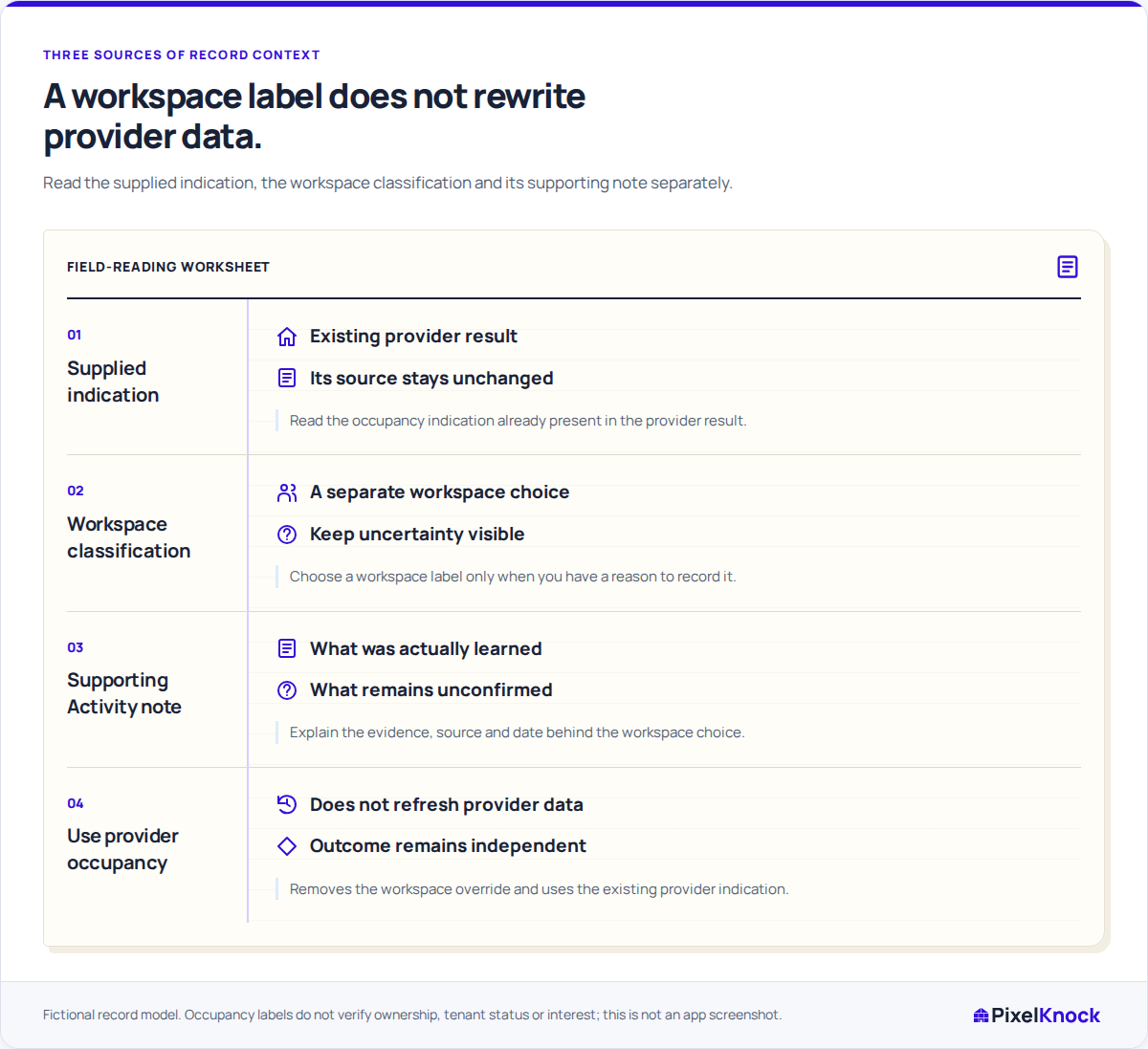
Apply the annotation in the saved home
With writing access, use Workspace occupancy in Details and choose the label that fits the evidence. Labels can be customized, so check your team’s definition if the wording is unfamiliar.
Add the reason in Activity: what you learned, where it came from and any uncertainty that affects the classification. For the example above, the resident’s statement and visit date are useful. Speculation about their household is not.
Reopen the home after saving to confirm the intended workspace annotation. The label and note should let another teammate answer two questions: “What do we currently think?” and “Why?”
Return to the provider indication deliberately
Choose Use provider occupancy when the workspace annotation is no longer supported. This removes the override and returns to the supplied indication already in the record. It does not buy a refresh or update the provider’s database.
Suppose the team discovers that the fictional visit note belonged to the neighboring home. Add a correction in Activity explaining the mix-up and remove the unsupported annotation. If the supplied indication is Unknown, the home should return to Unknown until you have a better basis for classifying it.
When newer provider information would help, consider a separate reveal or refresh using its current quote. Removing a mistaken annotation is a different task from requesting new data.
Keep the outcome and next task independent
Occupancy describes the property. A recorded outcome describes the team’s interaction with it. Learning that a resident owns the home does not establish interest or justify changing No answer to a positive outcome.
Finish with a label supported by the available evidence, a note explaining its source and a clear reason to review it again if needed. Leaving an unresolved classification as Unknown gives the next teammate more reliable context than another guess.