
Workspace occupancy corrections with PixelKnock
Keep the occupancy label and its evidence together
Record what your team has learned about a home without losing the supplied occupancy context. A workspace label and an Activity note keep the classification and its evidence together.
Start with Free: 1,000 monthly credits and 1 seat.

Read where the displayed label comes from.
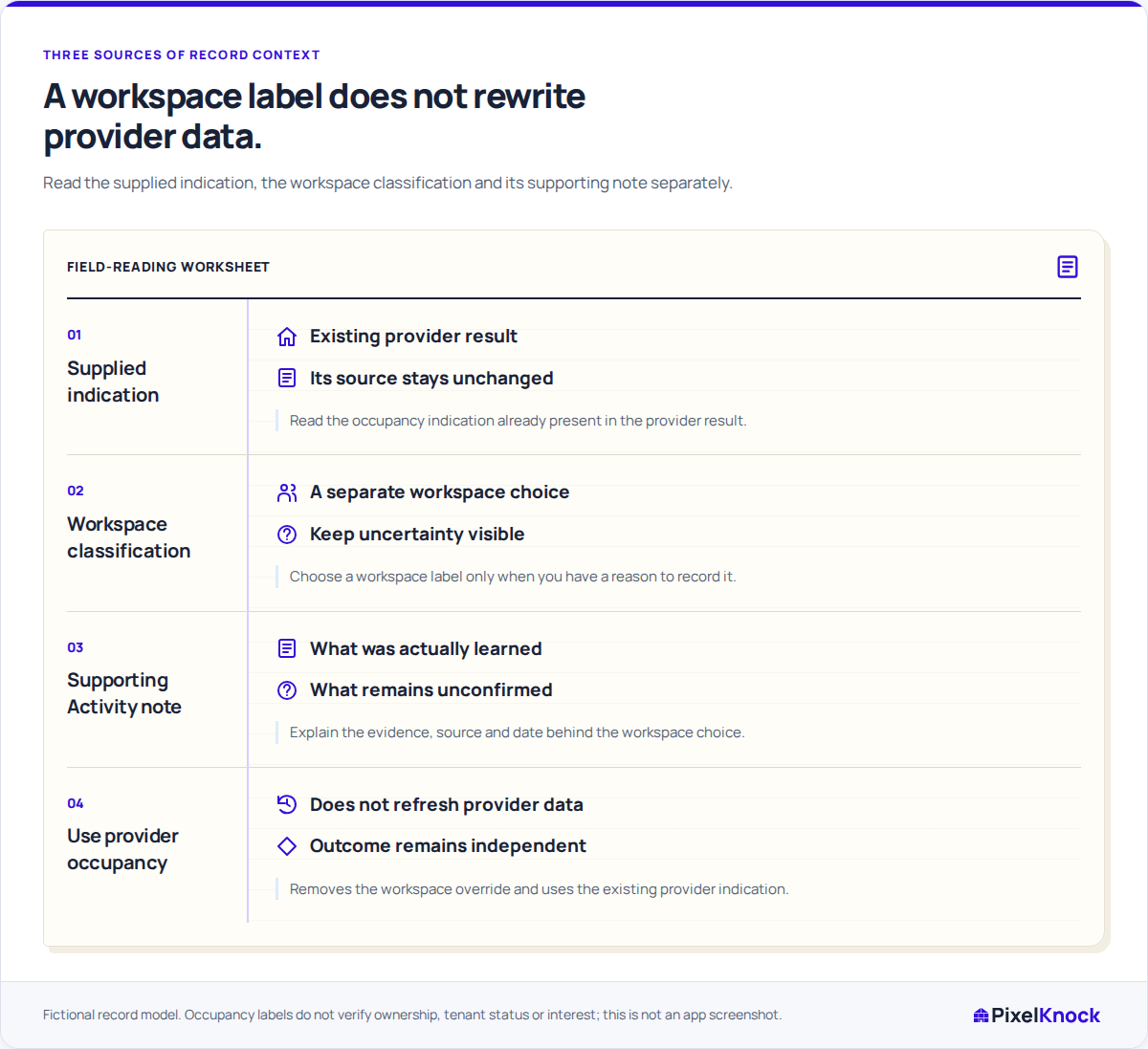
Details distinguishes Provider information from a Workspace annotation. Check that source first so you know whether you are reviewing supplied data or a classification your team chose.
Apply the workspace classification.
With writing access, choose the Workspace occupancy label supported by your evidence. In Activity, explain the source: for example, a resident’s statement during a dated visit. Keep a reported statement distinct from independent verification.

Return to the supplied indication when needed.
Choose Use provider occupancy to remove an unsupported override and return to the supplied indication already saved. This changes your workspace annotation; it does not request fresh provider data.
Preserve separate CRM meanings.
A new occupancy classification does not change what happened in a conversation. Keep the actual outcome, contact status and agreed follow-up accurate alongside the label.
Useful answers
Before your next session.
Can we record a correction without changing the provider’s data?
Yes. Apply a Workspace occupancy label and explain the evidence in Activity. The correction belongs to your workspace; it does not modify the provider’s database.
How do we remove a workspace occupancy annotation?
Choose Use provider occupancy. The home returns to the supplied indication already available, which may be Unknown. Requesting fresh details is a separate action.
What if we are unsure which label fits?
Keep the uncertainty visible rather than guessing. Occupancy alone does not verify ownership, tenancy or interest in your service.
Put this workflow to work.
Review one home’s occupancy source and save the evidence for any correction.
Start with Free: 1,000 monthly credits and 1 seat.