

Keep the question small enough to verify
Suppose you add an email address, but the connection drops before the editor confirms it. The change may already be saved. Check that original edit before submitting another one.
This guide covers contact changes at a saved home: adding a phone number or email, changing a supported contact status, or removing a custom value. Confirm the workspace, home and value you intended to change. Subscription and lookup recovery use their own controls.

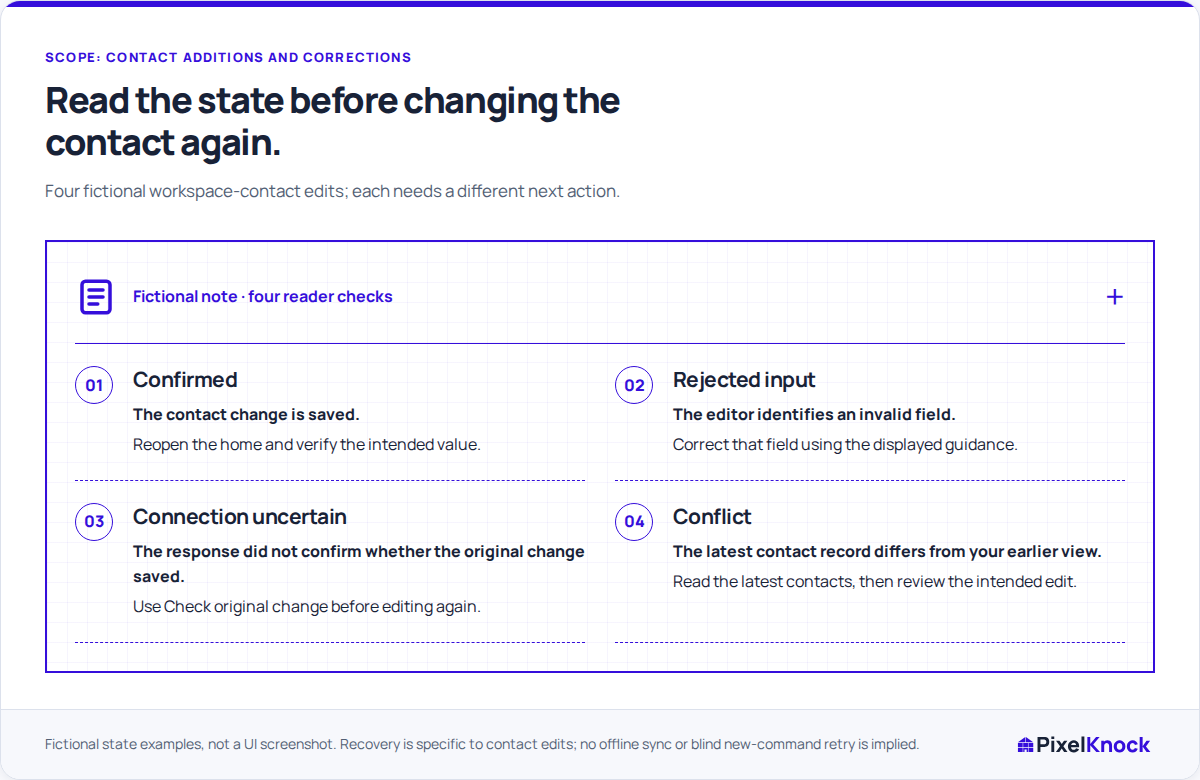
Choose the next action from the save state
Use the contact editor’s message to choose what to do:
| What the editor tells you | What to do next | What not to infer |
|---|---|---|
| The change completed | Read the resulting value or status | A saved phone value is permission to call |
| Input was rejected | Correct the identified field or restriction | Every failure is a connection problem |
| The change is not confirmed | Use Check original change before editing again | No response means nothing was saved |
| Contacts changed in the meantime | Review the latest details before a new edit | Your earlier view is still current |
An uncertain response needs a confirmation check. Invalid input needs a correction. A permission message needs a review of your access. Repeatedly submitting the form does not resolve all three.
Work through one interrupted addition
In a fictional example, a homeowner supplies a new email address during a conversation. A rep adds [email protected] to the saved home, but the connection loses the response. The editor reports that the change is unconfirmed and locks further editing.
Choose Check original change. PixelKnock checks the original submitted edit rather than treating this as a fresh addition. When the result returns, read the contact list: is the exact address present, and does it appear as the intended Custom entry?
If you close the edit dialog, look for Check original change beside the contact details. Closing the dialog does not resolve the uncertainty, and that control can remain available. If you have left the home, reloaded the page or signed out, reopen the intended home and inspect its current contacts before deciding whether another edit is needed.
Give a conflict a fresh reading
A teammate may have changed the contact record while your editor was open. PixelKnock reports the conflict and reloads the latest contacts. Read them before retrying your intended correction.
For example, the supplied address may now be present because the teammate added it. There is no need to add it again. If the saved address differs, compare it with the source of your correction and resolve the discrepancy with the teammate. An older screen is not a reason to overwrite newer information.
Finish by checking the saved contact
Confirm the value or status at the correct home. Add any useful context in Activity, such as who supplied the address and when. That lets the next reader understand the change without treating a Custom label as verification.
If the current contacts still cannot be loaded, leave the result unresolved until you can inspect them. Closing the editor is not confirmation, and this workflow does not provide offline synchronization. The task is complete when the saved contact reflects the intended change and you have checked any newer shared information.