

Define the review before granting access
Write the question the reviewer is meant to answer. For example: “Can the next rep identify the current service question and saved callback arrangement?” That is a bounded reading task. “Fix every record” is a different job and requires writing access.
PixelKnock's Viewer role can read saved home information and property history. It does not grant the ordinary controls for writing notes, changing outcomes or revealing new contacts. Keep the review inside the access that actually supports it, and ask the workspace administrator to resolve a missing permission rather than sharing another person's account.

Inspect one appropriate saved home
Confirm the workspace and home, then read the latest relevant Activity and saved follow-up. Look for a contradiction that affects the next action, not just a difference in writing style. A note saying no visit was agreed deserves attention if the current context suggests an appointment.
Read later entries before reporting an issue. A correction may already explain the older wording. Also distinguish a missing field from a negative answer: an unavailable phone number does not establish that the homeowner cannot be reached by any appropriate method.
Build a correction request an editor can use
Use four fields in your team's chosen communication process:
| Field | Fictional request |
|---|---|
| Home | Identify the exact saved home and intended workspace |
| Observation | “The earlier note says no visit was agreed, while the current outcome is Appointment.” |
| Evidence to check | “Please compare that note with the later activity and saved schedule.” |
| Requested decision | “Confirm whether an appointment was agreed; correct the outcome or add the missing arrangement context.” |
The request does not declare which field is wrong before someone checks. Perhaps a later agreement is missing from the note, or perhaps the outcome was selected accidentally. An editor needs enough evidence to decide, not an instruction to force the record into the reviewer's first interpretation.
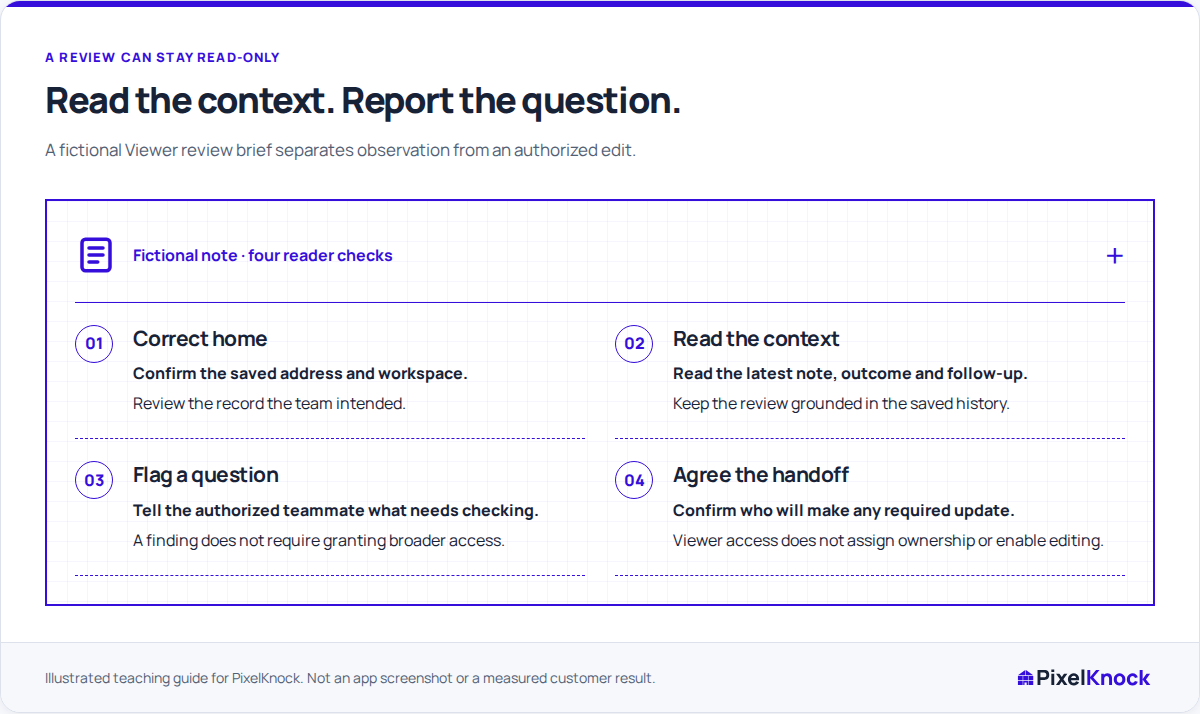
Keep the permission boundary clear
A read-only reviewer cannot save the correction simply by describing it in another tool. An authorized teammate must verify the facts and make the appropriate CRM update. Agree who has accepted that task directly; a name mention or shared access does not send an automatic assignment.
Use only the information needed to identify and resolve the issue. Keep the complete homeowner context in PixelKnock rather than copying an entire record into an unrelated conversation. The correction request should point the editor back to the relevant saved work.
Verify the result from the record
When the editor says the issue is resolved, reopen the home and read the new context. Check whether the note, outcome and follow-up now agree, or whether a remaining question is explicitly identified.
The review is complete when the finding has a supported resolution or an accepted next check. It does not require giving every reviewer editing powers, creating a new contact lookup or marking unresolved work done.