
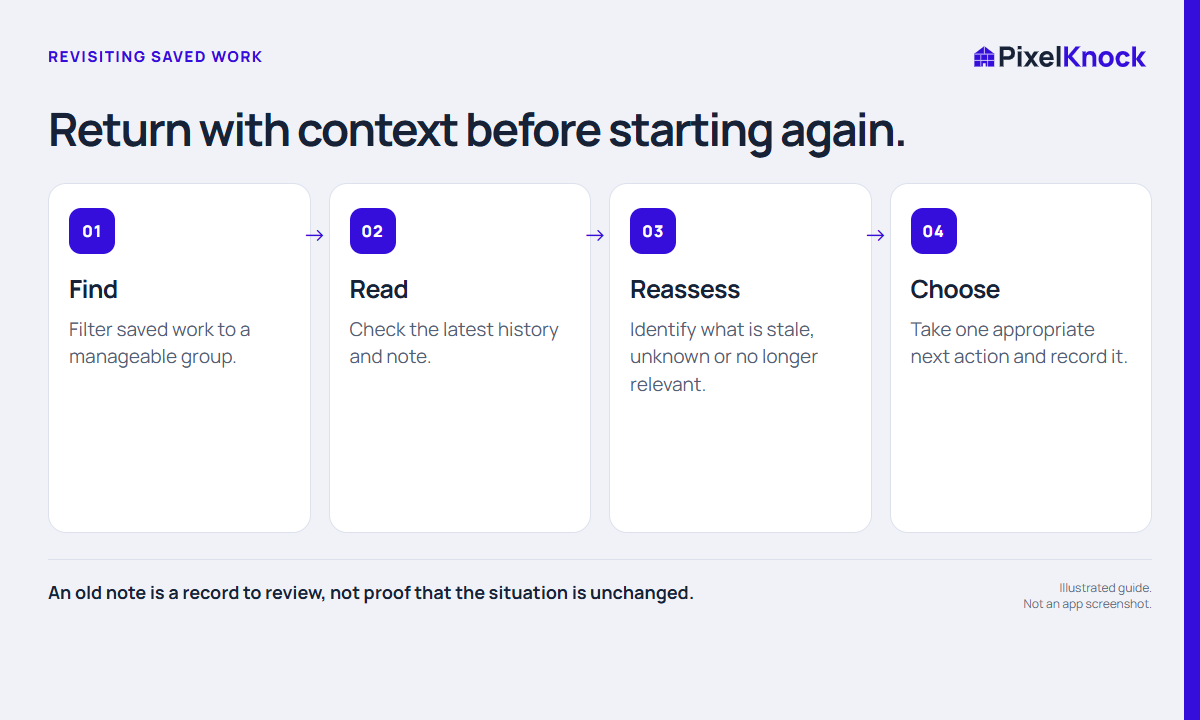
Choose a small group to review
An old list is easier to restart when it has a clear boundary. Choose a manageable group based on a real task: callbacks in an area you can still serve, homes with an unanswered service question or records you need to hand off. Avoid treating the entire list as equally ready for another attempt.
The first session can simply be a review. You do not need to combine reading, new research and outreach into one uninterrupted sequence. Give yourself room to understand what the saved records actually contain.
Open the record before deciding
In PixelKnock, use saved-home filters to narrow the list, then open the property and read its Activity history. Opening a saved record is free. Look for the latest relevant note and any earlier commitment that remains unresolved.
An old Call back label does not prove that the original request is still timely. A note may refer to a date that has passed, a service your business no longer offers or a question that someone else answered. Treat the record as evidence of prior work, not as proof that circumstances stayed the same.

Sort the next decisions
| What you find | A useful next decision |
|---|---|
| A clear, still-relevant open question | Confirm the answer before planning another conversation |
| A past timing request | Review the context and your business’s follow-up process |
| Unclear identity or missing context | Record what is uncertain; avoid filling the gap from memory |
| A factual no-interest or stop-contact record | Follow the relevant business process before any further action |
| A duplicate planning entry elsewhere | Decide which record controls the next step |
These are review prompts, not automatic instructions to contact every saved home. The decision should follow the information in the record and your actual working requirements.
Separate reading from refreshing
A saved view shows the information already in the workspace. A new request or refresh retrieves available information again and can use credits. Do not refresh a whole set simply because the records are old. First decide which task needs current information and whether that request is useful.
If you make a new request, read the current estimate and result. Missing information may remain missing; a refresh is not a promise that a desired contact channel will appear.
Leave the list clearer than you found it
End the review by recording the next decision for each active home. A short note such as “Service boundary needs confirmation before another attempt” is more useful than leaving a vague priority label.
Keep the next session small enough to complete. The aim is to recover usable context and reduce loose ends. The number of old records you opened is less useful than whether you can explain what should happen next and why.