
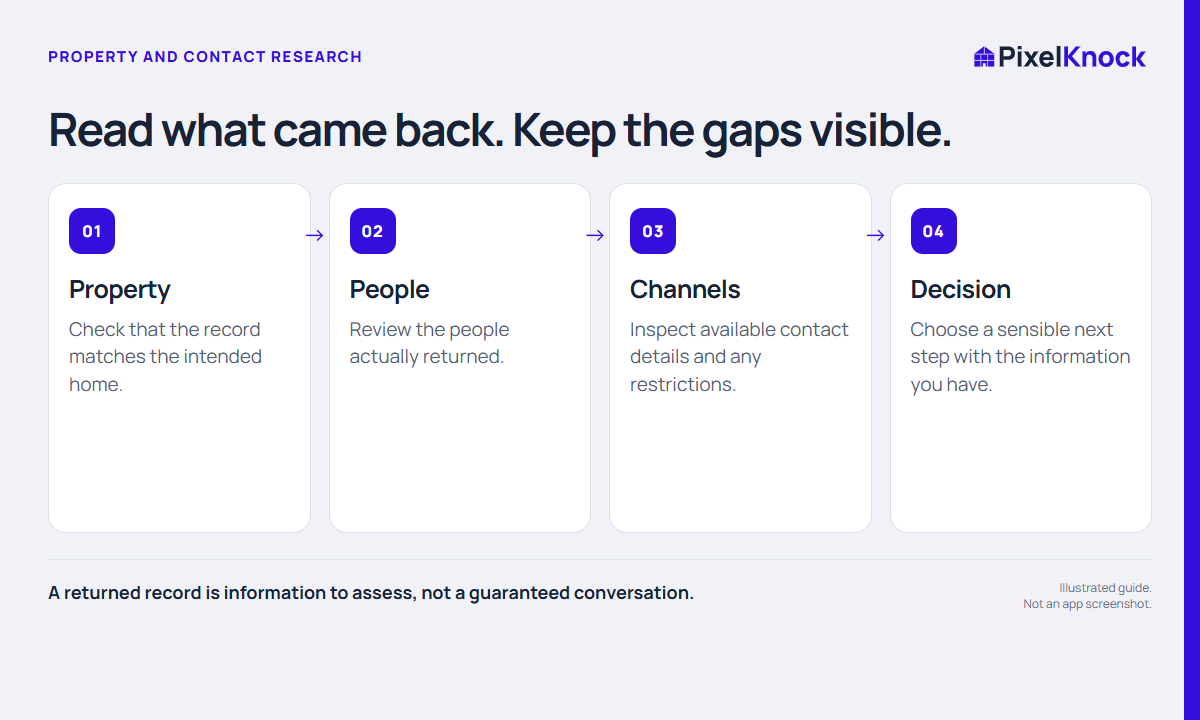
Start with three different questions
“Did the property return?” “Was a person returned?” and “Is there a usable way to contact that person?” are different questions. A lookup may answer one without answering the others. Treat the result as a set of available fields rather than a single yes-or-no promise.
For example, a property record may contain house facts while a person has an email address and no returned phone number. Another result may contain a phone number whose status prevents the app from offering a call action. Neither case proves that the homeowner is interested in your service.
Read the returned record in layers
First confirm the intended home. Then review the people actually shown, followed by each available contact channel and its displayed status. Do not assume that every listed person lives at the property or that a returned channel is current.
PixelKnock displays available property and owner information in Details. Phone information can have restrictions or uncertainty. A provider flag is not permission to contact someone; use your business’s established outreach process for the actual decision.

Keep a small interpretation checklist
- Does the returned property match the home you intended to review?
- Which people are actually present in the result?
- Which contact fields are available, missing or restricted?
- What have you confirmed independently, and what remains uncertain?
- Is there a useful next action with the information you have?
Avoid treating an empty field as evidence about the homeowner’s circumstances. It tells you that the information was not returned in that field. It does not explain why.
Understand the cost separately
Under PixelKnock’s current itemized policy, returned property information and enriched people are separate credit items. A person with email-only information can still be an enriched person; a phone number is not the definition of a billable contact record. Review the app’s estimate and your usage history for the actual operation.
Opening a saved record is free. A new request or refresh is a separate action, and a repeat request should not be assumed free simply because you recognize the address. Avoid repeated refreshes as a way to force a missing phone number to appear; there is no such guarantee.
Record what the result supports
Use a factual note if the result changes your next decision. A fictional example is: “Property matched. Available record has no usable phone channel for this task. No homeowner conversation took place.” That note prevents a later reader from mistaking a research result for an outreach outcome.
If an operation reports an error or an uncertain result, follow the app’s recovery state and contact support when needed. Keep the result, cost and conversation outcome distinct. That gives you a clearer record even when the available information is incomplete.