

Start with one shared workflow
Choose a real task the team needs to perform together, such as preparing a requested callback or checking a service question. Starting with every saved home at once makes it harder to see whether the shared routine actually works.
A solo rep can rely on memory for facts that were never written down. A teammate cannot. Open the intended PixelKnock workspace and read one saved home as if you had not worked it. Identify the information needed to continue before adding more people or records.

Separate four kinds of responsibility
| Responsibility | Question to settle | Evidence it is settled |
|---|---|---|
| Record context | Where does the current homeowner history live? | The useful note, outcome and follow-up are at the home in PixelKnock |
| Workspace access | What must this person be able to read or change? | Their role supports the intended task |
| Next action | Who has actually accepted the work? | The receiver confirms the task through the team's process |
| Review | Who will check the result and when? | A clear check of the saved result, separate from the homeowner arrangement |
These responsibilities can belong to different people. An administrator may manage membership while a rep handles a callback and a reviewer checks the preparation note. The matrix describes your operating agreement; it is not an automatic assignment feature.
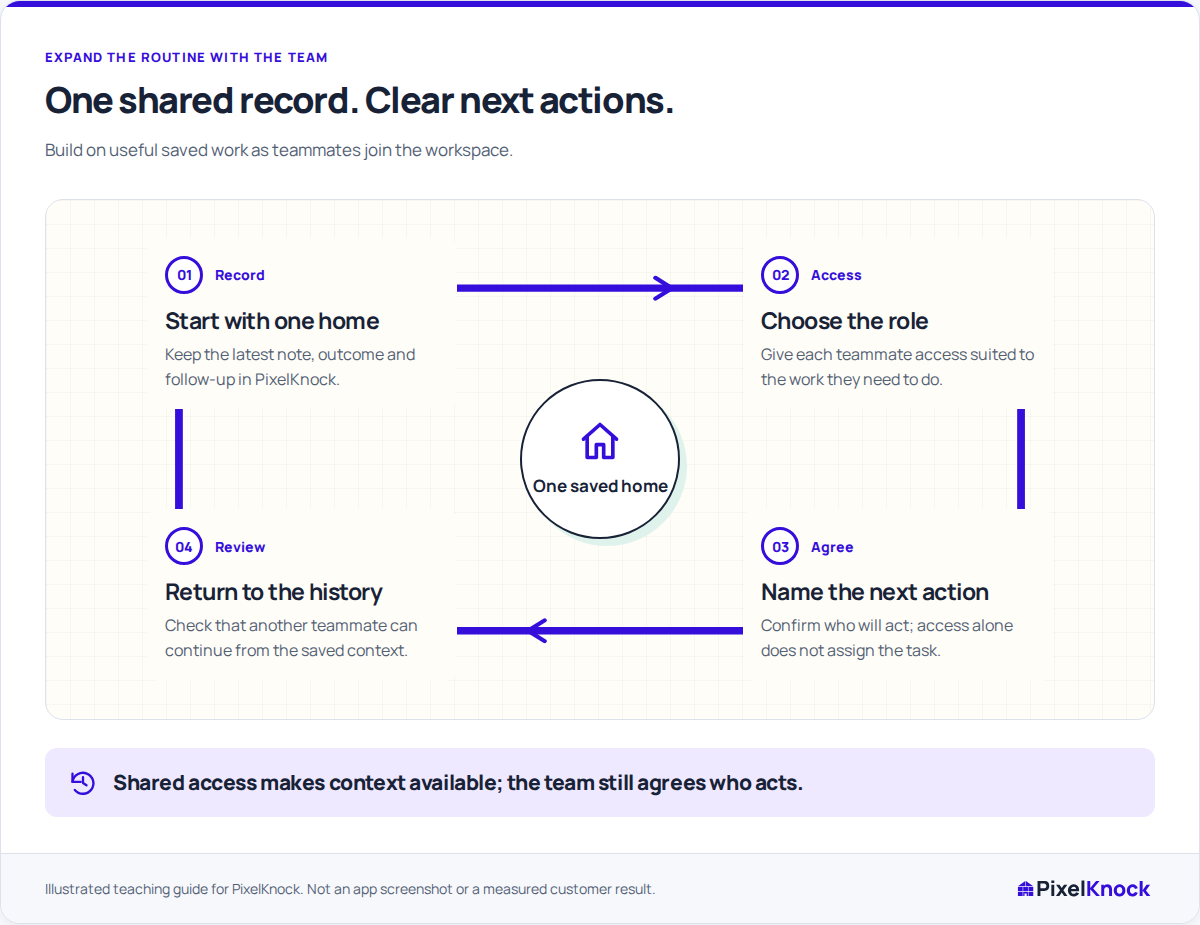
Try a fictional two-person handoff
A solo rep has saved a homeowner's question about assessment coverage and an agreed callback time. A teammate will help confirm the service answer. Give that teammate the access appropriate to the check, and make the question readable in the home note.
The teammate accepts the internal coverage check. That does not transfer the callback itself unless both people agree it should. Record the distinction: one person supplies the answer, while the original rep still owns the agreed conversation through the team's process.
When the answer is ready, save it with the same home. The person preparing the callback can then read the current CRM context without reconstructing a message thread.
Match access and capacity to the work
PixelKnock uses workspace roles for reading, writing and administration. A Viewer can inspect saved context; a rep updating notes needs an appropriate writing role. Confirm the intended workspace and task after the person joins rather than assuming access from a job title.
Review seats and credit capacity on the current pricing page when the team expands. Shared work does not create free new data requests, an exclusive territory or a reserved claim on a homeowner. Existing saved records remain the place to reuse the context the workspace already has.
Expand after the first handoff closes
Have the receiving teammate explain the next action from the record, then check that the actual result returns to PixelKnock. If they needed the original rep to supply missing context, improve that note before scaling the routine.
The transition is working when record context, access, accepted action and review are all explicit. More seats can support more people; the shared operating agreement is what helps those people continue one another's work.