
Solo-to-team routines with PixelKnock
Keep context useful as more people join
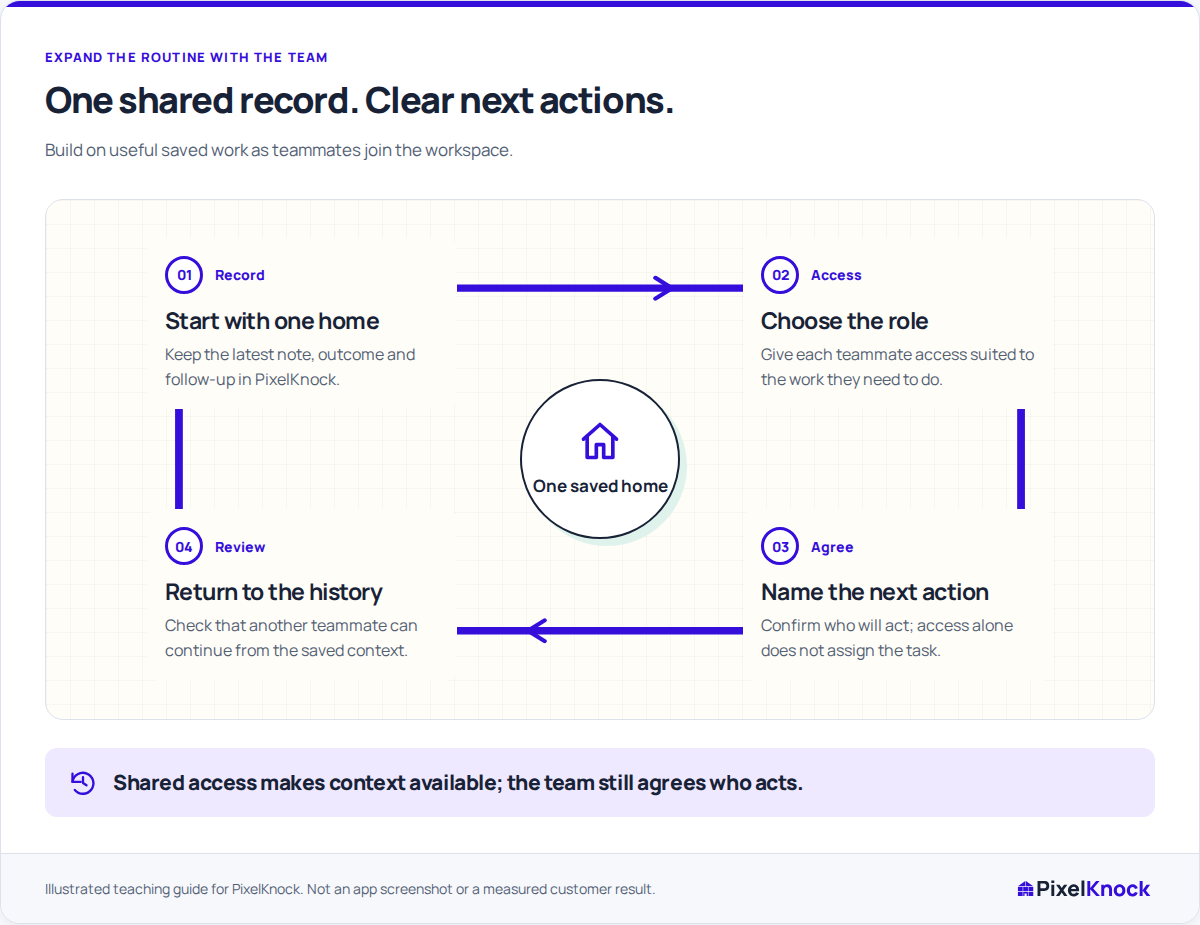
Keep the context useful as people join. Share the home record, give each teammate appropriate access and agree who takes the next action.
Start with Free: 1,000 monthly credits and 1 seat.

Start from one record people can understand.
PixelKnock keeps the homeowner history in the workspace. Choose a saved home with a clear task and make its question, outcome and follow-up readable before expanding the shared routine.

Match access to the actual task.
Use workspace roles for the work each teammate needs to do. A reviewer may only need to read saved information; someone updating outcomes and notes needs the appropriate writing access.
Keep accepted work visible.
Agree who will act through your team’s process. Record the relevant agreement and result with the home so the next person can understand it; membership alone does not assign a callback.
Expand from a complete handoff.
Have the teammate reopen the home, identify the task and return the result to Activity. Review plan seats and credit capacity as the working routine grows.
Useful answers
Before your next session.
Does adding a teammate automatically assign homes?
No. Workspace access lets teammates use shared records according to their roles. Agree responsibility directly and keep the accepted next action readable in the home note.
Do we need separate CRM records for every rep?
Shared saved property work belongs to the workspace. Use the same home context for the team’s work and check that each person is in the intended workspace.
Put this workflow to work.
Open one shared home and confirm the next task with its receiving teammate.
Start with Free: 1,000 monthly credits and 1 seat.