

Begin with the home you mean to research
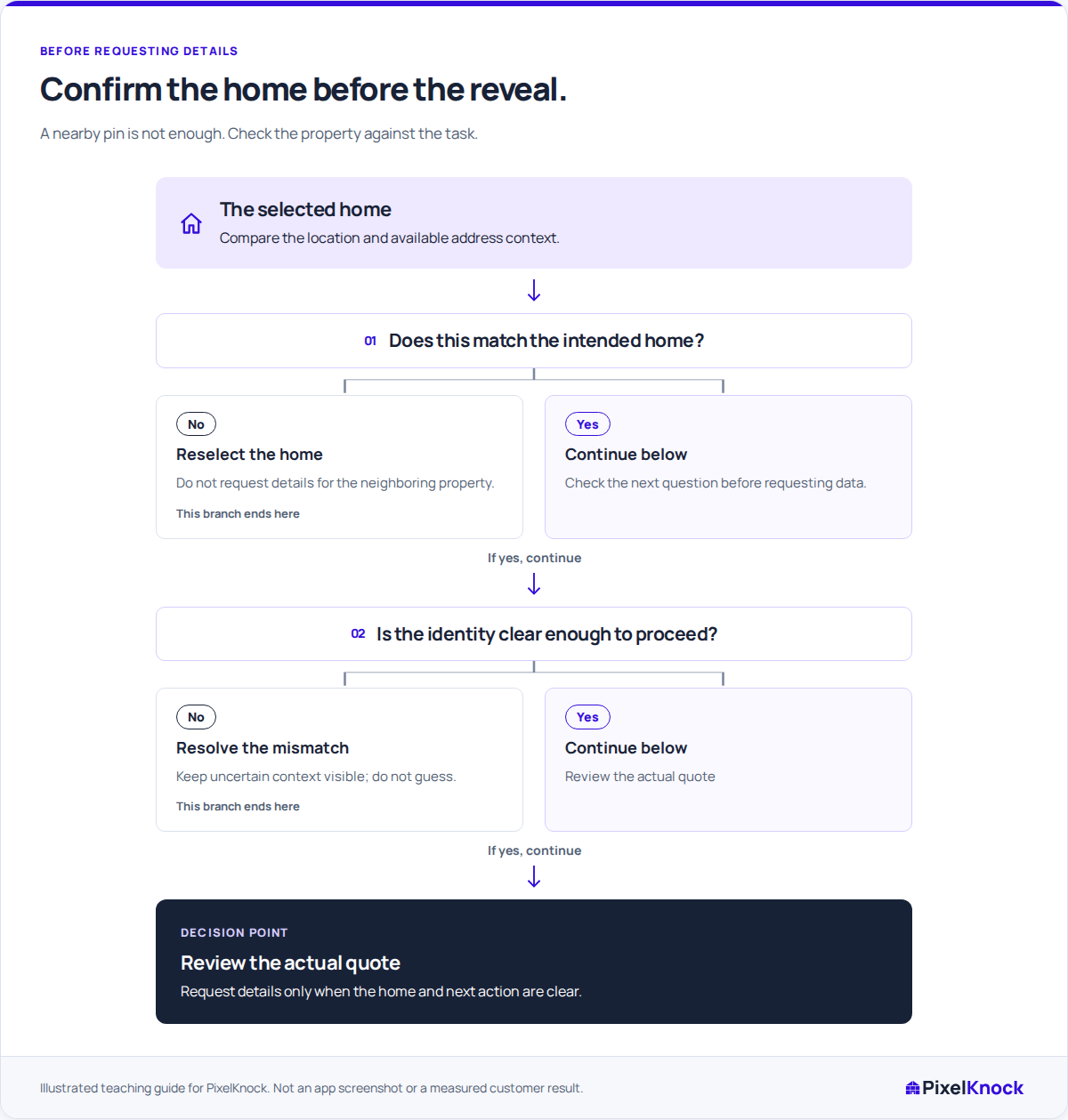
A street can contain similar roofs, close entrances and addresses that are easy to confuse. Decide which home your task concerns before using the retrieval action. A conversation note or an appointment address should not accidentally become attached to the neighboring property.
In PixelKnock, selecting a roof or a saved pin opens its available context. That selection is separate from the explicit request for new details. A selected new roof may not yet have a confirmed street address; do not treat the selection itself as address verification.

Use the identity check before the quote
| Check | Continue when | Stop and clarify when |
|---|---|---|
| Intended location | The selected roof matches the location you meant to inspect | Adjacent homes, an outbuilding or a boundary makes the choice uncertain |
| Available address | Any displayed address agrees with the task's known address | The address differs, is incomplete or is not yet available |
| Existing context | A saved record's history fits the home and task | The note appears to concern a different home or person |
| Requested action | You know why new information is needed | You are requesting details merely to test an uncertain selection |
This is a decision checklist, not proof of property ownership or a geographic lookup service. Visible map context can help you select deliberately, but it does not resolve every ambiguous building or address.
Walk through an ambiguous selection
Imagine a fictional row of attached homes. The address in your visit note refers to one entrance, while the roof you selected appears to span two. A new detail request is not the right way to resolve the uncertainty by trial and error.
Pause the request and confirm which home the task concerns using the information available to you. If the address cannot be matched confidently, leave the research question open. Do not copy the visit note onto a nearby record because it looks plausible.
For a saved home, read its address and history together. If the selected record is wrong, return to the intended record before saving anything. Reopening saved information is free; a new lookup or refresh is a separate decision.
Read the quote after the identity check
When the intended selection is clear, review the information shown for the explicit reveal action. New property and contact details can use credits, and some fields or phone numbers may remain unavailable. An area count does not retrieve those details or verify individual addresses.
Confirm the request once and follow its visible status. If a response is delayed or uncertain, use the original request's recovery flow rather than sending a new request to force a result.
Verify the returned context
Read the returned details before continuing the task. If they conflict with the home you intended, keep that mismatch visible and avoid turning it into an assumed fact in your CRM notes. The finish condition is that the selected home, available record and purpose agree well enough for the next decision, with any remaining uncertainty explicitly recorded.