
Property selection checks with PixelKnock
Review the selected property before spending
Keep selection deliberate. Inspect the chosen roof or saved record, clarify an ambiguous match and review the retrieval action before spending credits.
Start with Free: 1,000 monthly credits and 1 seat.

Inspect the selection first.
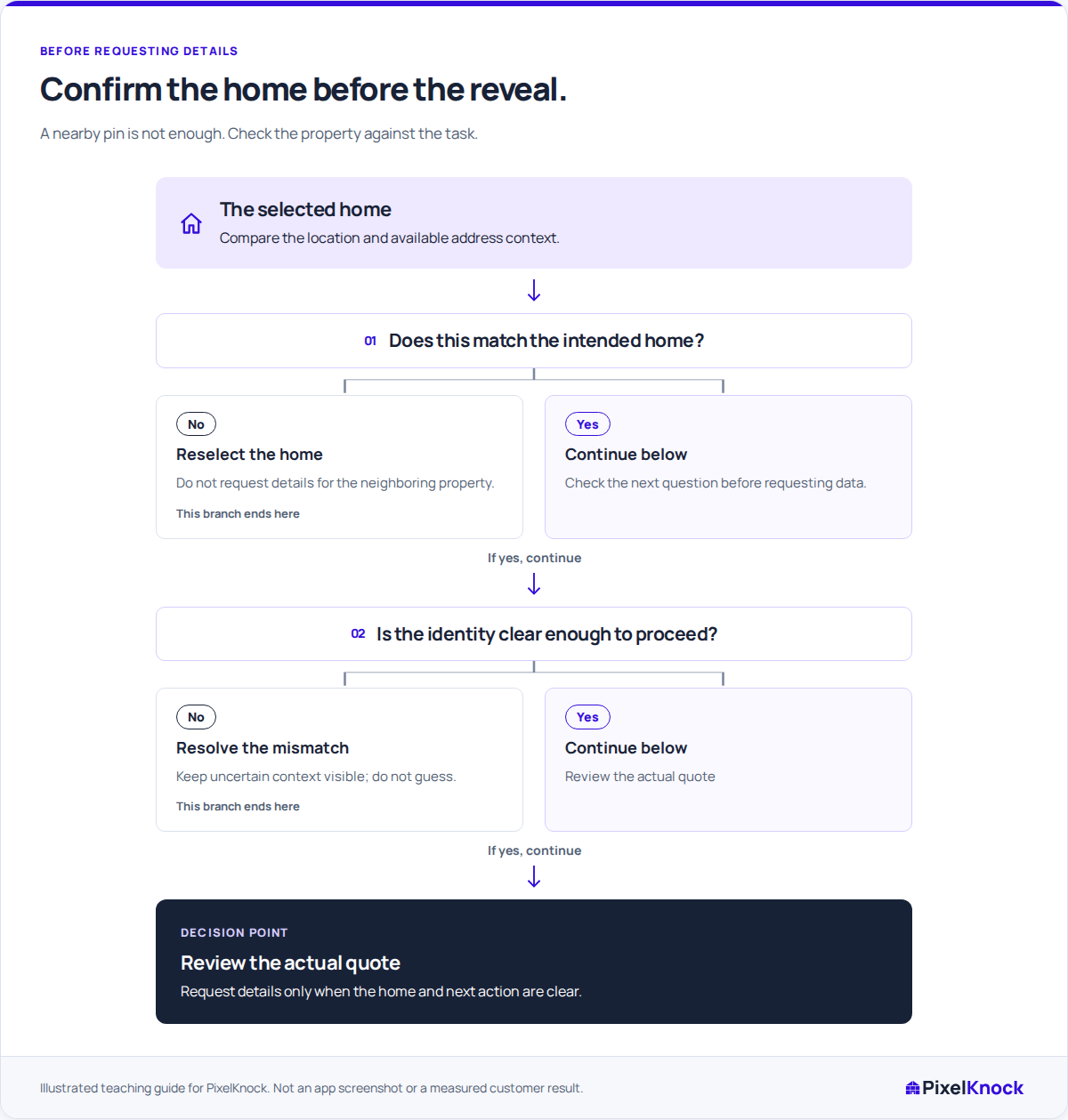
Opening a roof or saved pin gives you a chance to inspect the available context before a new request. Check that the home fits the address or location your task actually concerns.

Pause when the identity is unclear.
A new roof selection may not yet show a confirmed address. If neighboring homes or an outbuilding make the intended selection ambiguous, clarify it before approving a lookup. PixelKnock does not turn that uncertainty into a verified identity.
Approve a specific information request.
Review the quote for the intended home, then follow the status of that request. New details can use credits; opening a saved snapshot is free. A count of homes in an area is a separate workflow.
Keep returned facts with the correct home.
Once the result arrives, read Details and check its fit with the task. Save relevant findings in the same CRM record, keeping conflicting or missing information explicit.
Useful answers
Before your next session.
Does selecting a roof purchase contact details?
Selection and retrieval are separate actions. Use the explicit reveal action and review its current credit information when requesting new details.
Will a new roof selection always show a confirmed address?
Do not assume that it will. Review the available context and clarify an ambiguous match before requesting new information.
Does counting an area identify all its homes?
The current area workflow returns a home count. It does not retrieve each home’s property or contact record.
Put this workflow to work.
Inspect the selected home and resolve uncertainty before approving a reveal.
Start with Free: 1,000 monthly credits and 1 seat.