

Return to the question that started the work
Read the original research note and state the decision it was meant to support. “Confirm whether this street is inside our current coverage” has a clearer finish than “learn more about this neighborhood.” A pile of additional fields may not answer the actual question.
Open the saved home in PixelKnock and review the information already available. Keep the supplied details separate from your interpretation and the business rule you are applying. Another reveal is useful only when the missing information could change the decision and the current quote makes sense for that task.

Choose a reasoned stopping point
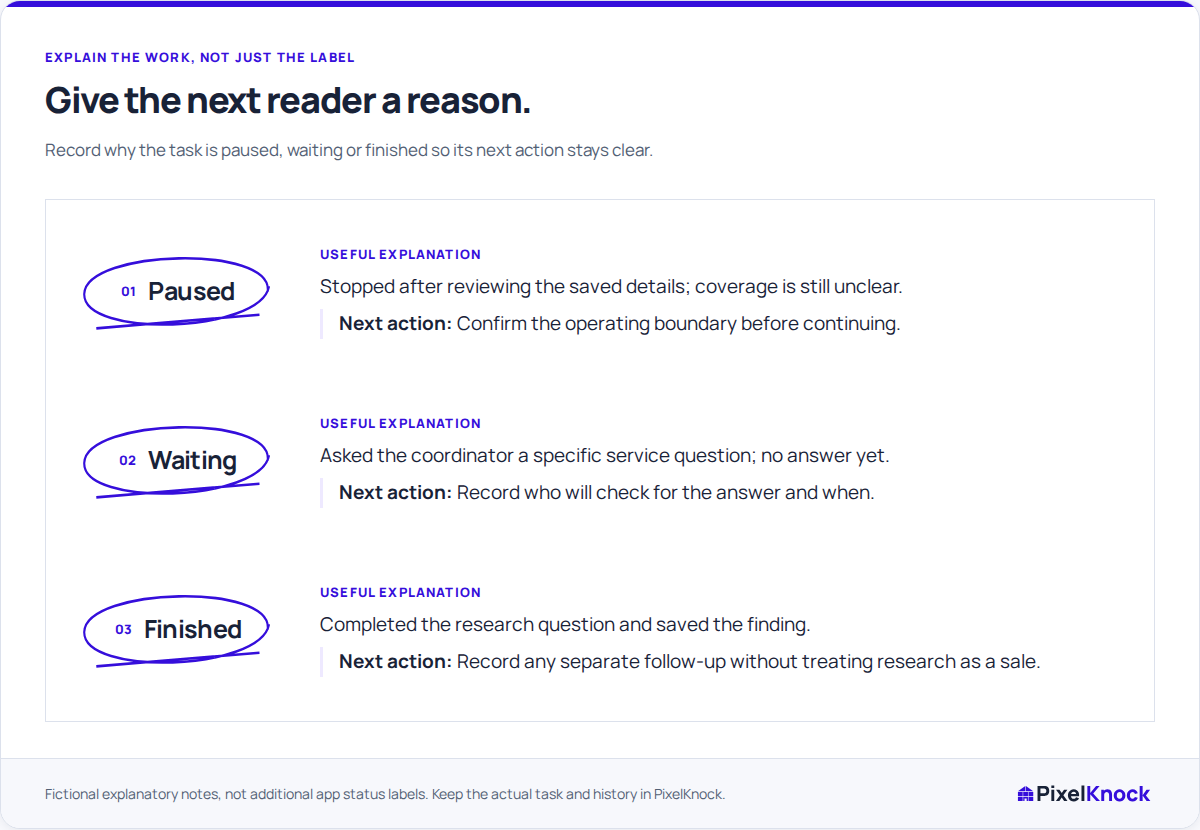
The following are planning decisions to explain in your note, not new built-in status labels:
| Decision | When it fits | What to leave behind |
|---|---|---|
| Continue | One identifiable check could resolve the question | The fact needed and the next bounded action |
| Pause | A dependency or uncertainty prevents a useful next action | The unresolved question and the condition for reopening |
| Finish | The original question has a usable answer | The finding, its source and any separate work that remains |
A finished research task does not mean a sale, an eligible contact or a confirmed appointment. It means the defined question has been answered well enough for the decision at hand.
Work through a fictional boundary question
A rep is checking whether an edge-of-area home can be served. The map shows its location, but the current service rule is unclear for that street. Buying another contact detail would not settle that policy question.
A useful pause note could read: “Research question: current service coverage for this street. Location checked; coverage rule still unconfirmed. Paused pending the operations answer. Reopen when the current boundary decision is available. No homeowner conversation.”
Once the answer arrives, a finish note could state the confirmed coverage decision and where it came from. If another question remains, name it separately. Do not leave the whole record “pending” because one unrelated task may happen later.
Keep the decision attached to the saved home
Use Activity to save the finding and reason. Choose a supported outcome only when it matches what actually happened; a research pause does not require inventing a conversation outcome or creating an appointment.
If the research had a dated internal follow-up and that task is now complete, use the appropriate completion control and retain the answer in the note. If the task is unresolved, do not mark it done simply to remove it from a view. The controls available depend on the current record state.
Make the reopening condition testable
“Review later” is easy to ignore and easy to repeat indefinitely. “Reopen after the service-boundary answer is confirmed” gives the next person a concrete condition to check. If your team agrees who will obtain that answer, record the accepted responsibility without implying automatic assignment.
Finish by reading the note as a new teammate. They should be able to tell what you learned, why you stopped and what would change the decision. PixelKnock keeps that context available; a stopping note does not archive or delete the home.