
Research stopping decisions with PixelKnock
Leave a clear stopping decision
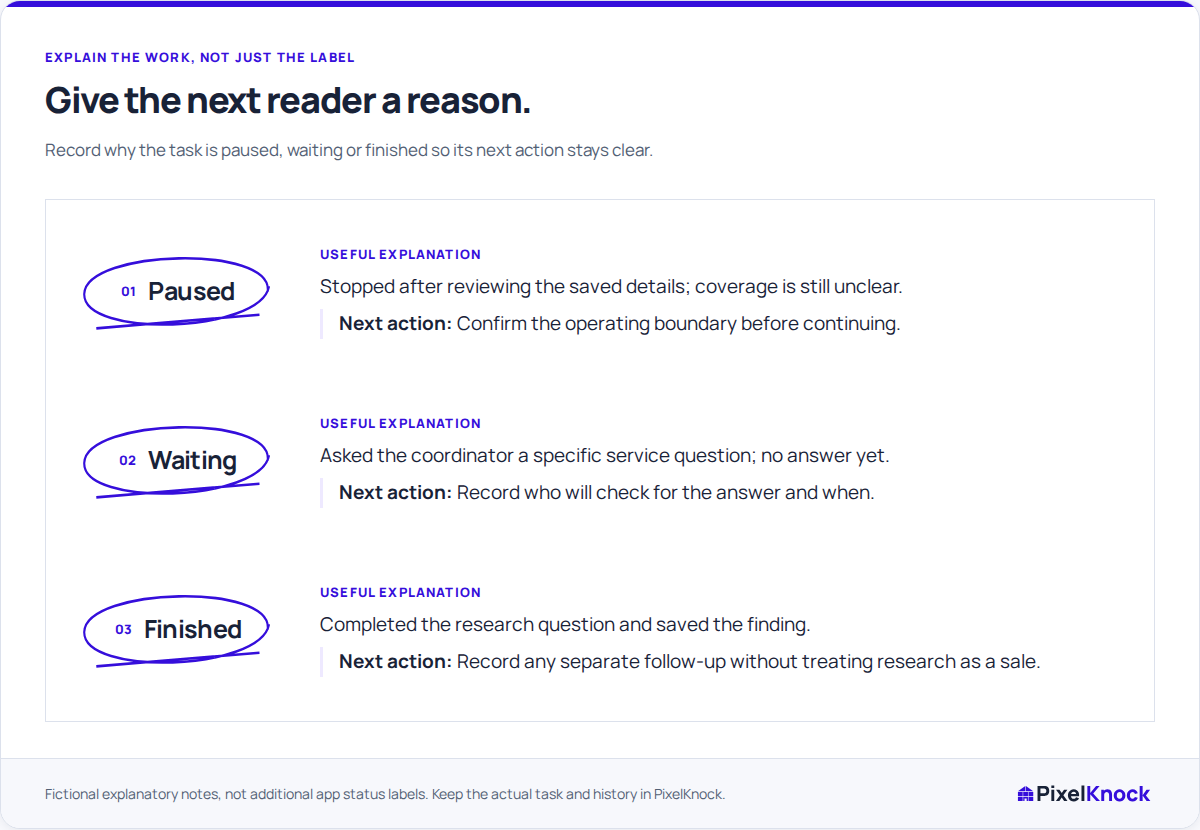
Leave the next reader a clear reason for stopping. Save what is known, what remains unresolved and the condition that would make another step useful.
Start with Free: 1,000 monthly credits and 1 seat.

Start from the research question.
Open the saved home and review the question the work was meant to answer. PixelKnock keeps available details and your notes together so you can judge whether another step would add useful information.

Save the finding and the stopping reason.
Use Activity to explain a supported decision to continue, pause or finish the research. Those words describe your reasoning; they do not require an invented app status or a conversation that never happened.
Keep the reopening condition concrete.
Name the fact or dependency that would change the decision, such as a confirmed service-boundary answer. Agree responsibility through the team’s process and retain the useful context at the home.
Return without repeating the same uncertainty.
When the condition changes, reopen the record and read why work stopped. Add the new finding and choose the next supported action from that history.
Useful answers
Before your next session.
Does a stopping note archive or delete the home?
No. It explains the research decision in the saved record. The home and its context remain available according to workspace access.
Does finished research mean a completed sale?
No. It means the research question has a usable answer. Record homeowner conversations, appointments and sales outcomes only when those events actually occurred.
Should I reveal more data when the answer belongs to our team?
First identify what information would change the decision. An internal coverage or service-policy question may require a team answer rather than another property lookup.
Put this workflow to work.
Save the research finding, stopping reason and condition for reopening.
Start with Free: 1,000 monthly credits and 1 seat.