
Shared outcome definitions with PixelKnock
Use outcomes consistently across the team
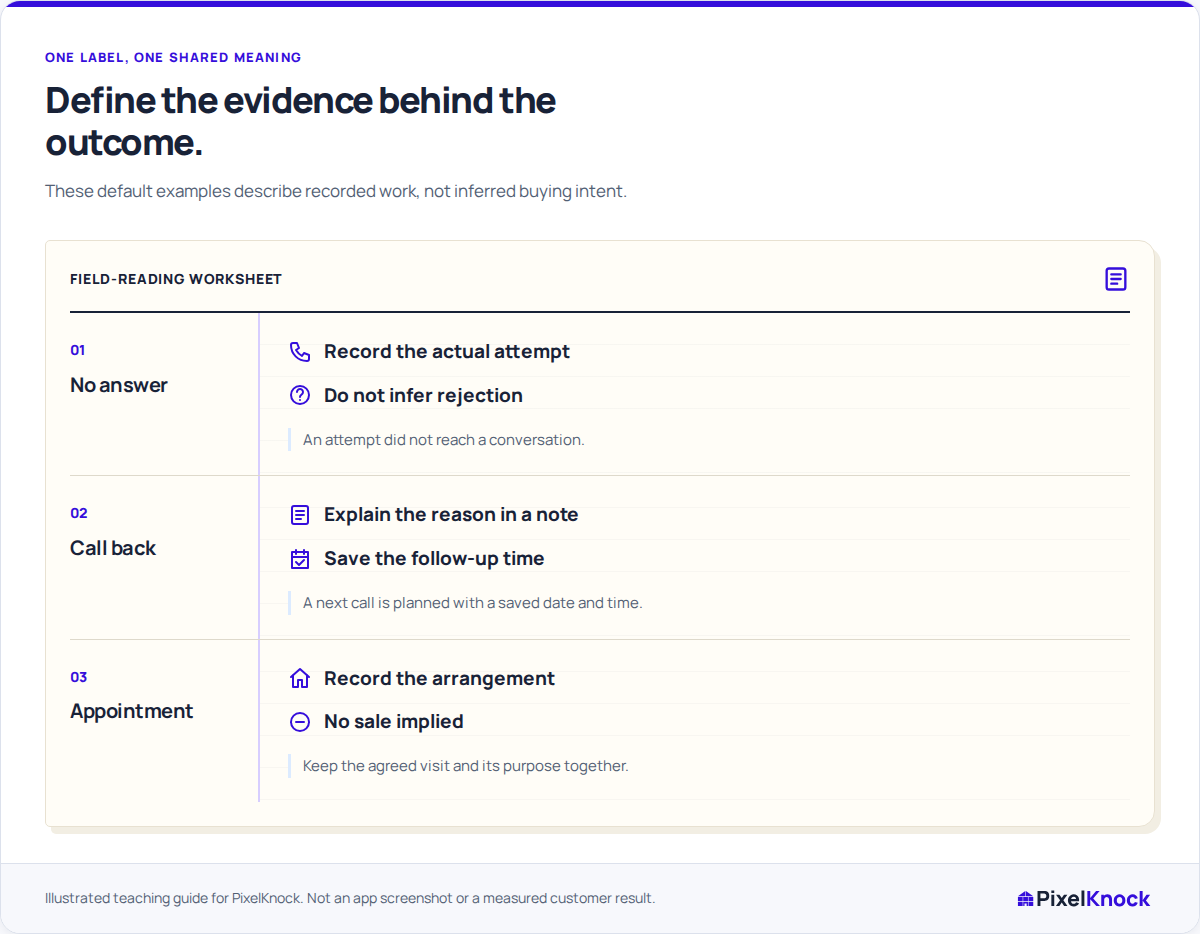
Use a shared record language your team understands. Choose an available outcome, explain the evidence in the note and keep the next action with the home.
Start with Free: 1,000 monthly credits and 1 seat.

Start with the labels your workspace uses.
Review the current outcome choices with the team. PixelKnock supports default and workspace-customized labels; agree their meanings before asking teammates to use them consistently.

Keep the reason behind the label.
The note explains what a short outcome cannot. Record the actual request or response so a teammate can understand why the label fits and what remains unresolved.
Give dated outcomes their saved time.
Call back and Appointment require a follow-up date and time. Keep the purpose beside the schedule in PixelKnock and maintain any optional calendar alert separately.
Make corrections understandable.
If a record uses the wrong outcome, update it based on what happened and leave the explanation in Activity. Shared history gives the next reader context for the correction.
Useful answers
Before your next session.
Does a label automatically qualify a homeowner?
No. It records your team’s chosen outcome. Use the note for the actual evidence; interest, an appointment and a purchase are different events.
Are the same labels visible in every workspace?
Workspace labels can be customized. Review the choices in the intended workspace and use the definitions your team has agreed.
Is a phone-status correction the same as a property outcome?
No. A number can have its own supported status, while the property outcome describes the wider work. Keep each meaning in its proper context.
Put this workflow to work.
Compare one workspace outcome with the actual note and next action.
Start with Free: 1,000 monthly credits and 1 seat.