
Overdue follow-up review with PixelKnock
Make a deliberate decision about past-due work
Give old dates their current context. Open the home from Follow-ups, read what changed and keep the next decision in the CRM record.
Start with Free: 1,000 monthly credits and 1 seat.

Open the home behind the past date.
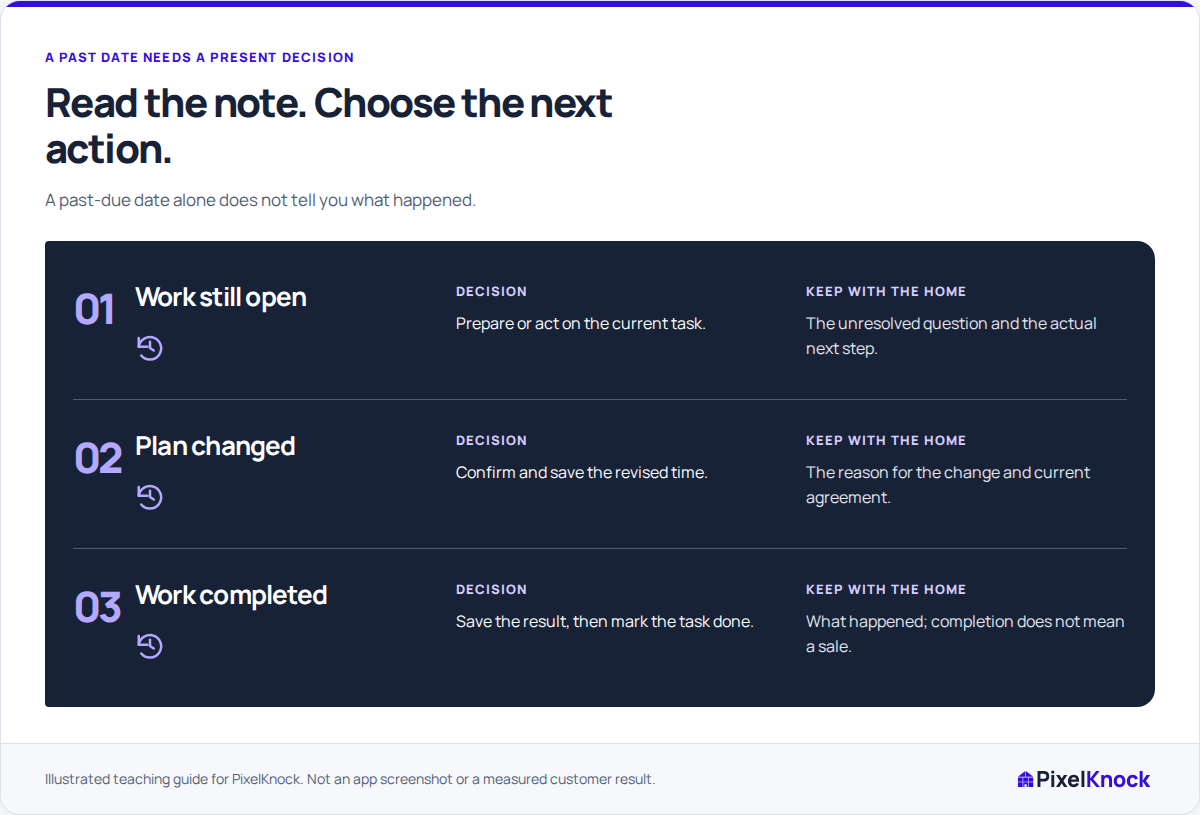
Past helps you find earlier scheduled work. The home’s Activity explains why the task existed and what happened since, so the review can distinguish an unanswered question from completed preparation.

Compare the arrangement with newer notes.
Before changing a date, check whether a teammate recorded a later answer or agreement. Shared CRM context keeps that decision available beyond the original rep’s memory.
Save a deliberate update.
Change time for a new arrangement, Mark Done for work that finished and Undo done for a mistaken completion. Keep an explanatory note with the home so the changed state remains understandable.
Verify the record after the queue changes.
A new time or completion state can change which view shows the home. Reopen its history to verify the saved result, and update any optional external calendar entry separately.
Useful answers
Before your next session.
Does a past date prove a missed homeowner commitment?
No. A task may be internal preparation, and later notes may explain what happened. Read its purpose and current context before deciding.
Can every follow-up have its time removed?
No. Call back and Appointment require a time. Use the controls supported for the current outcome and record the actual change in circumstances.
Does Mark Done mean a sale or completed conversation?
It records task completion. Save the actual result in the note and outcome so the next reader understands what finished.
Put this workflow to work.
Open one past-due home and choose the update its latest history supports.
Start with Free: 1,000 monthly credits and 1 seat.