

Find the balance and the original request
Open Usage in the workspace that made the request. Available credits can be used for new requests. Held for requests shows credits set aside while a result is being confirmed. Read both: a hold has reduced what you can spend, but it is not yet the final charge.
Keep the home's request result or recovery message available too. Credit history explains changes to the balance; the home tells you what happened to that request. In a shared workspace, other teammates may also be using credits, so the current total alone cannot explain one lookup.

Read a symbolic request ledger
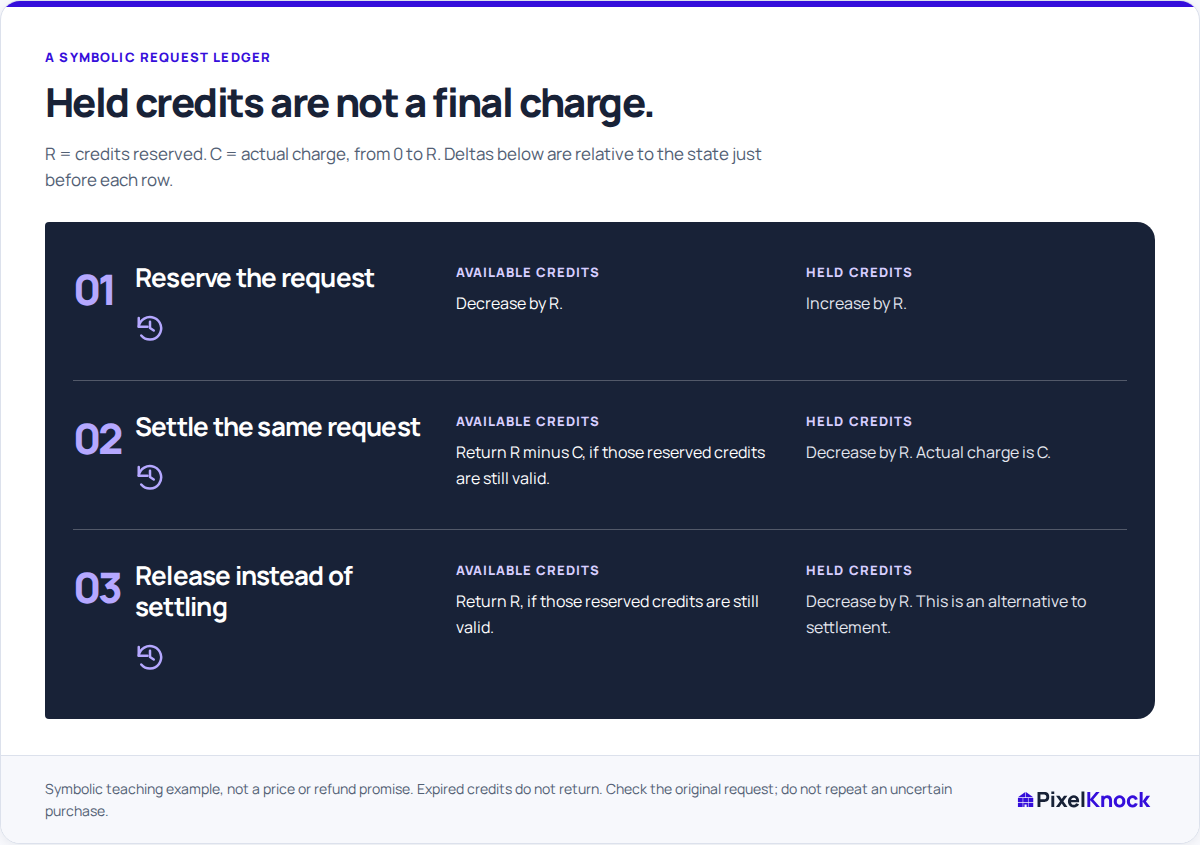
Suppose a request reserves R credits and eventually costs C, where C is no greater than R. Assume those credits remain active and unexpired, with no other requests or balance changes:
| Entry | Available change | Held change | Meaning |
|---|---|---|---|
| Credits held | −R | +R | The request's maximum amount is set aside |
| Request settled | +(R − C) | −R | The charge is C; the unused part of the hold returns to available credits |
| Hold released | +R | −R | The reservation ends without a completed charge |
Settlement and release are alternative endings. A single request does not receive both returns.
For a fictional arithmetic example, start with 100 available credits and no holds. Reserving 30 leaves 70 available and 30 held. If the final charge is 20, settlement returns the unused 10: the result is 80 available and zero held. The request cost 20, not 30 plus 20. These numbers illustrate the ledger, not the price or expected data from a lookup; use the actual quote for your request.
Match the label to the actual state
Credit history uses Credits added, Credits held, Request settled, Hold released and Allowance ended. Read Available change and Held change on the same entry. Use Refresh usage for the current balance or Load older activity to find an earlier entry.
If a request is still being checked, its hold can remain after the screen stops waiting. Check the original request using its displayed recovery action. Starting another paid lookup creates a separate request; it does not resolve the first one.
Refresh usage only rereads the accounting information. If the request remains unresolved, keep its workspace and home details available when asking support to investigate.
Account for the grant’s expiry
The examples assume the credits are still valid when the hold ends. If their allowance has expired, the unused part does not return to the available balance. A hold can therefore fall without an equal rise in available credits.
Usage shows the current allowance as well as total request holds, which can include earlier allowances. Read these separately. The next allowance expiry tells you when credits expire; it does not confirm that new credits have arrived.
Finish with a supported interpretation
After the original request reaches a confirmed result, check whether its hold settled or was released. Read both ledger changes and any Allowance ended entry that affects the balance. If the hold is still there, the request still needs checking.
You should be able to explain what the request returned, what it cost and what remains unresolved. You can continue reading saved homes and notes even when there are no available credits for a new request.